

Dashboards that explain
Beyond “how much did we sell?”: ordering patterns, cadence, trend direction, churn risk score and the revenue waterfall. Every figure drills down to the customer and the product behind it.
A B2B ordering portal for your customers and a back office for your team, with each partner's own prices and pricing policies.
The platform has two parts, built for two different kinds of users.
The back office is where your company runs the commercial relationship. Orders from every customer arrive in a single stream, each with its current status. Products, customers, contacts, offers and pricing policies are all managed from the same place. On top of them, an analytics layer shows how sales are trending by customer, product and sales rep, and flags early the customers who are starting to buy less.
The customer portal is your online store for partners. Each customer logs in with their own account, sees the catalog and the prices that apply to them, places orders from a browser or a phone and tracks each one through to delivery. It is also where they find their invoices, their balance, active offers and a direct line to your company.
Pricing policies (price lists, discounts, offers and promotions) are applied automatically, in real time, as the order is built. The price confirmed when the order is placed remains the price of the order.

Almost anyone can give you an ordering portal. The difference is what you can see once the order has been placed.
Beyond “how much did we sell?”: ordering patterns, cadence, trend direction, churn risk score and the revenue waterfall. Every figure drills down to the customer and the product behind it.
An order's status changes on screen without a refresh, and your phone gets a notification. Customers stop calling to ask where their order is, and your team stops answering the same question ten times a day.
Price lists, discount rules, offers and free-gift promotions, synced from your ERP and recalculated on every line. On each product, customers see exactly which policy applies to them and why.
Any event in the platform can trigger a task or an email: a new order, a status change, an overdue invoice, a blocked customer. Rules are set up from the interface, with no code.
Product availability and order status come from the systems your company already uses. The platform shows them to customers and to your team, with no second set of records to keep in parallel.
Which products each customer sees, from which warehouse, at what price, with which permissions and what credit limit: all configurable per partner. The platform adapts to how your sales operation is organized.

The platform is developed by us, not resold. So when you need something that doesn't exist yet, we talk about when, not if.
The NEXT team has more than 15 years of experience in business software and over 500 projects delivered.
Implementation follows the same methodology as our other products: process analysis, configuration, testing, training and support after go-live.
The first five are for your company, the last three for your customers. Pick one to jump straight to it.
KPIs, top 10, comparisons
cadence, trend, risk
revenue waterfall
task, call, meeting, email
trigger and actions
their prices, real stock
statuses and messages
due dates, limit, credit hold
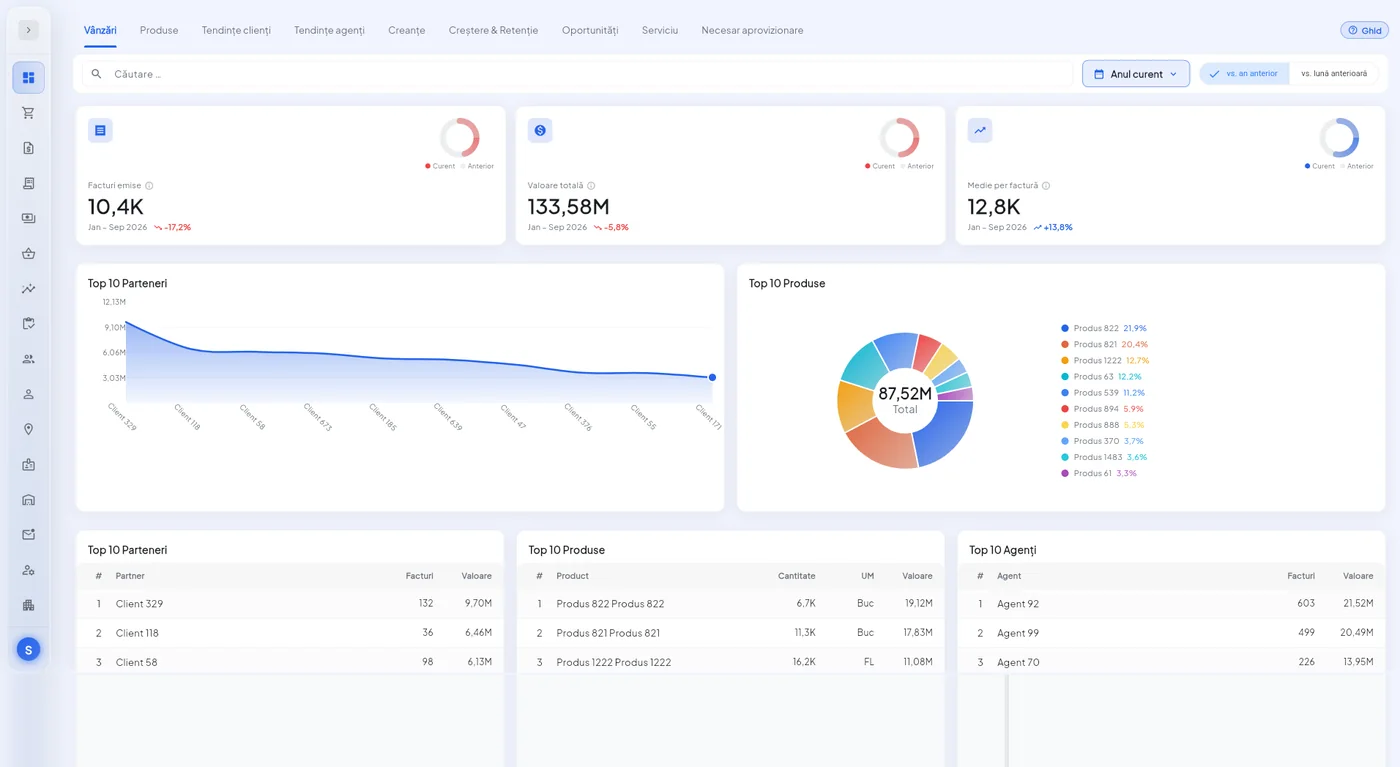
Invoices issued, total value and average invoice value, each shown with the change versus the previous period. A number with nothing to compare it to tells you nothing.
Below them, top 10 rankings across three dimensions at once: partners, products and sales reps. Same period, same calculation basis, so the three rankings can be read together.
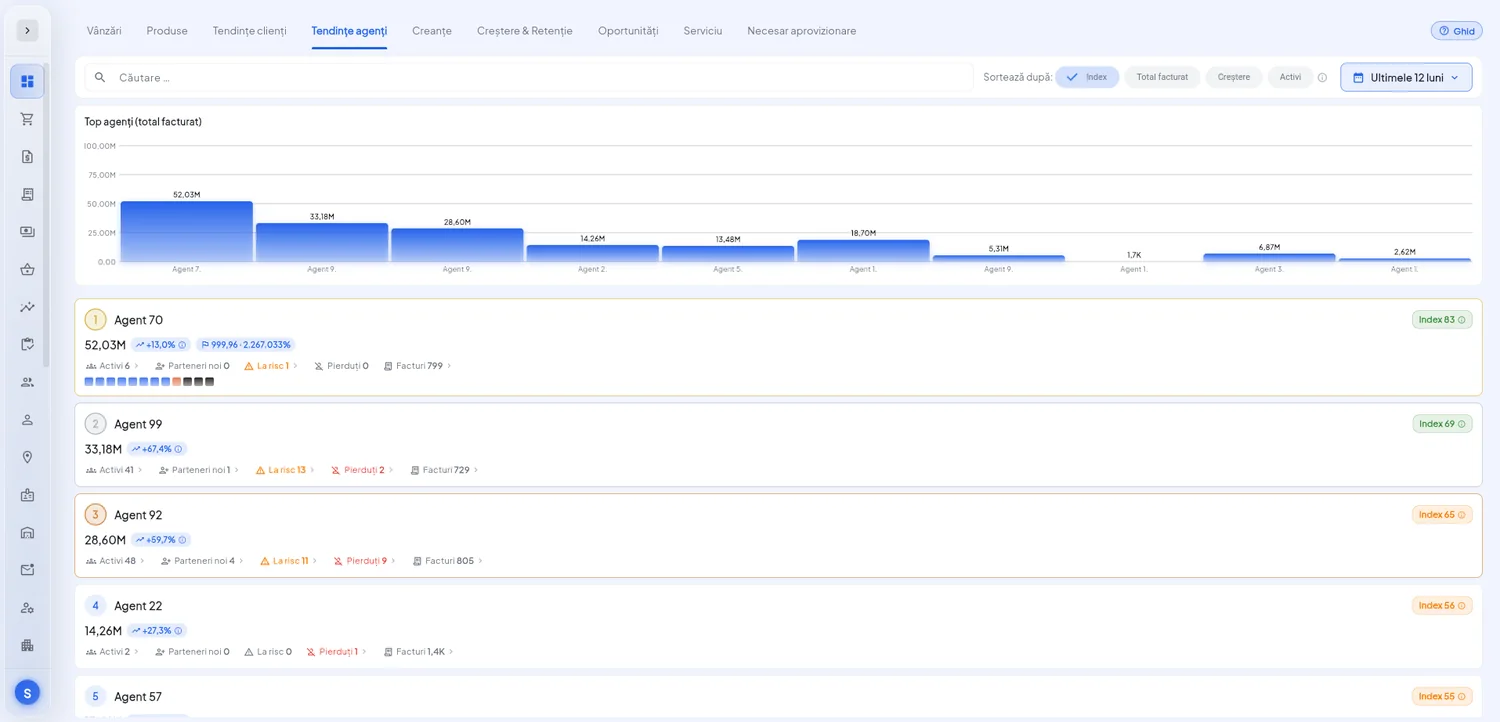
The sales rep leaderboard, with each rep's trend and the signals that matter: how many active customers they have, how many are in decline, and their performance index against target.
⚠️ Sales stay with the rep who owned the account at the time, because attribution is a historical snapshot, not today's mapping. Otherwise a simple portfolio reshuffle would rewrite the entire past.
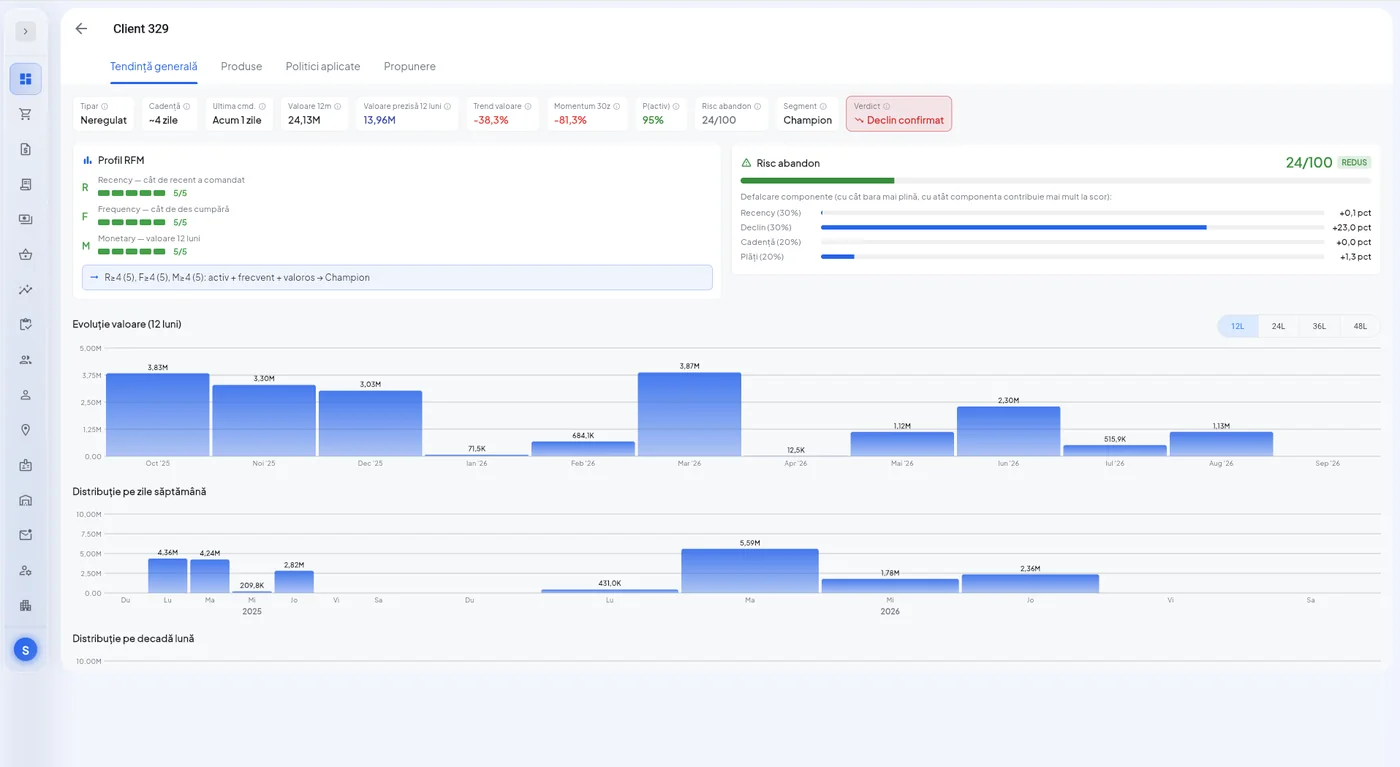
For every customer: the RFM profile, the type of ordering pattern, how often they usually order, the trend direction over recent months and the churn risk score, broken down into its components.
Below that, value over 24 months and how orders are spread across the days of the week and the days of the month. It shows whether a customer orders on a steady rhythm or opportunistically.
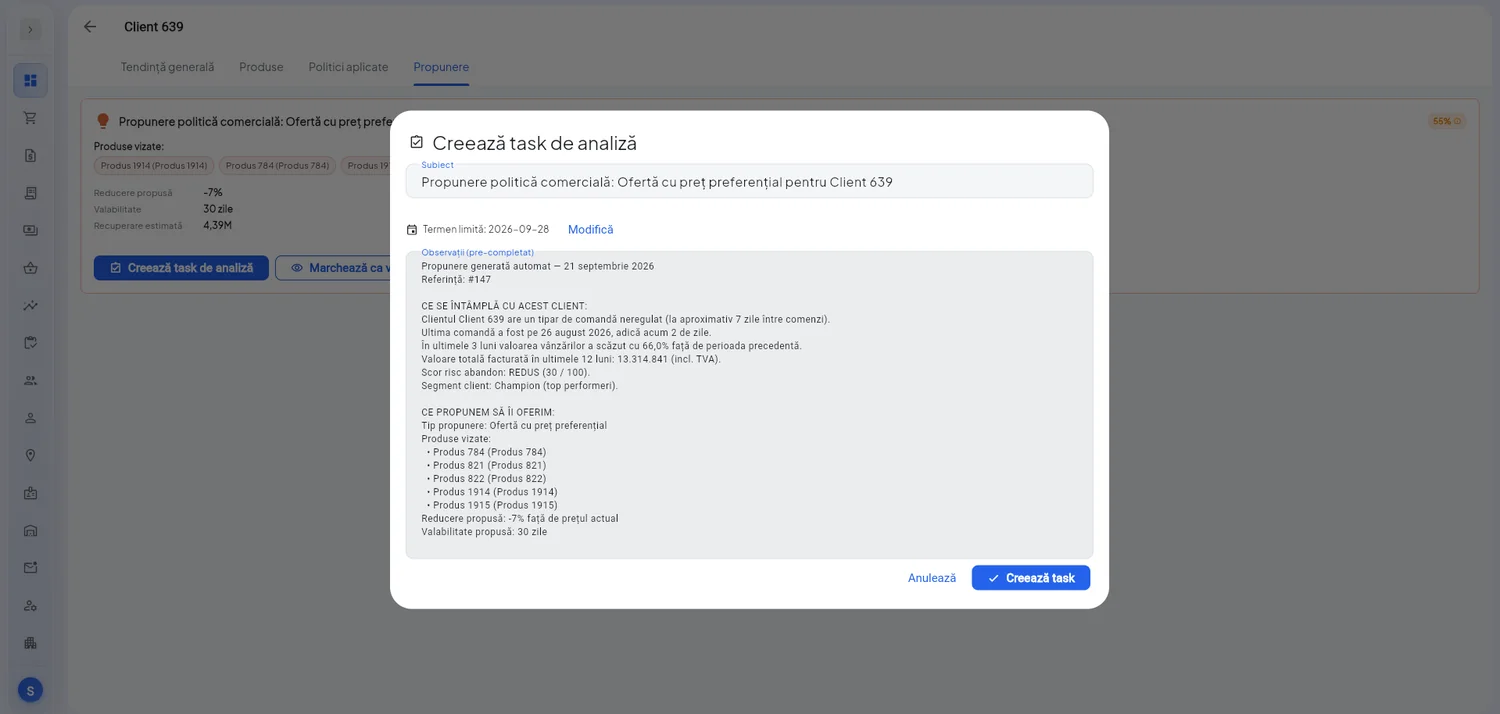
The platform doesn't stop at noticing that a customer is slipping. It suggests a suitable pricing policy (an offer at a preferential price, a bundle discount, a free-gift promotion), chosen from that customer's history rather than from a general rule.
⭐ The proposal changes nothing on its own. It creates a task with a written explanation: what is happening with the customer, what we suggest, on which products and for how long. The decision stays with a person.
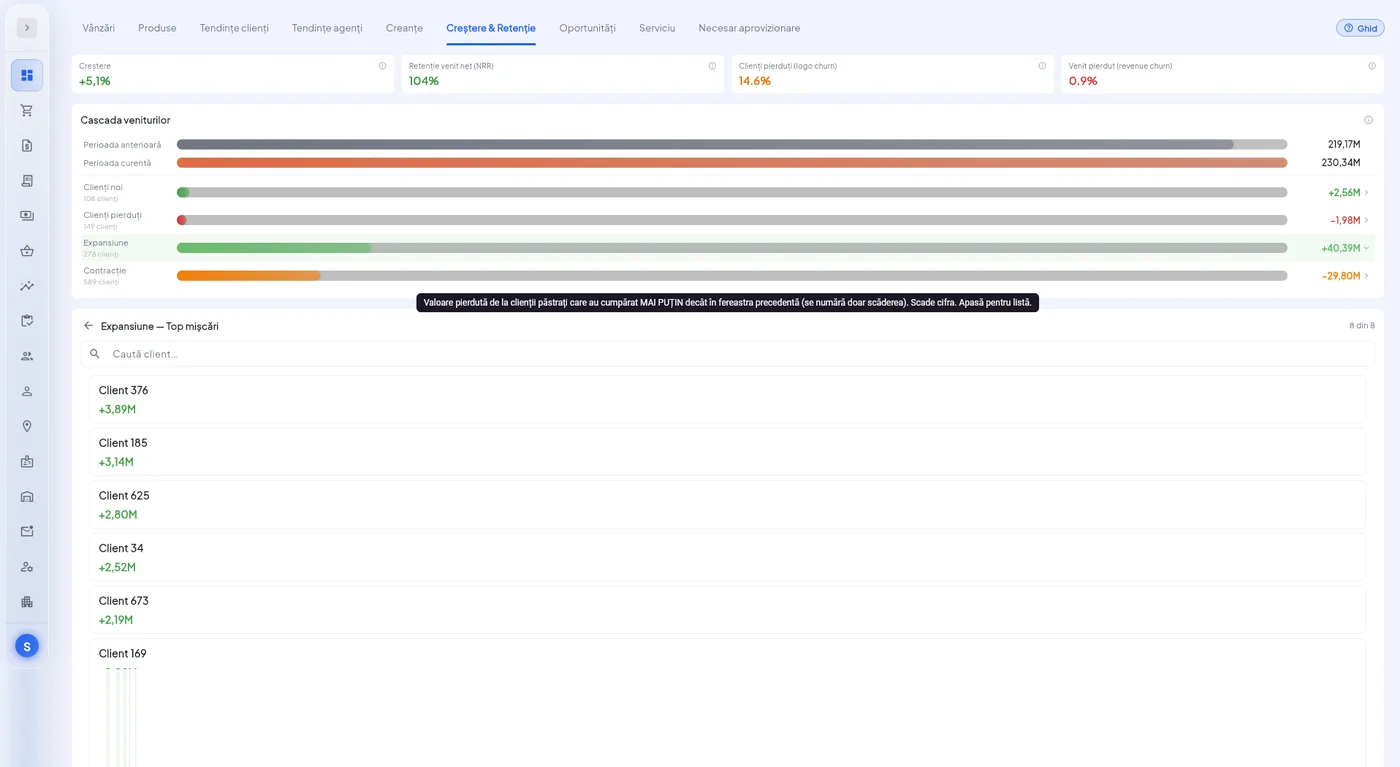
The difference between two periods, broken down into the five movements behind it: what you retained, how much you grew with existing customers, what you lost to contraction, what you lost to churned customers and what new customers brought in.
A 5% increase can hide 40% expansion on top of a 29% loss. The net figure doesn't show that. The waterfall does.
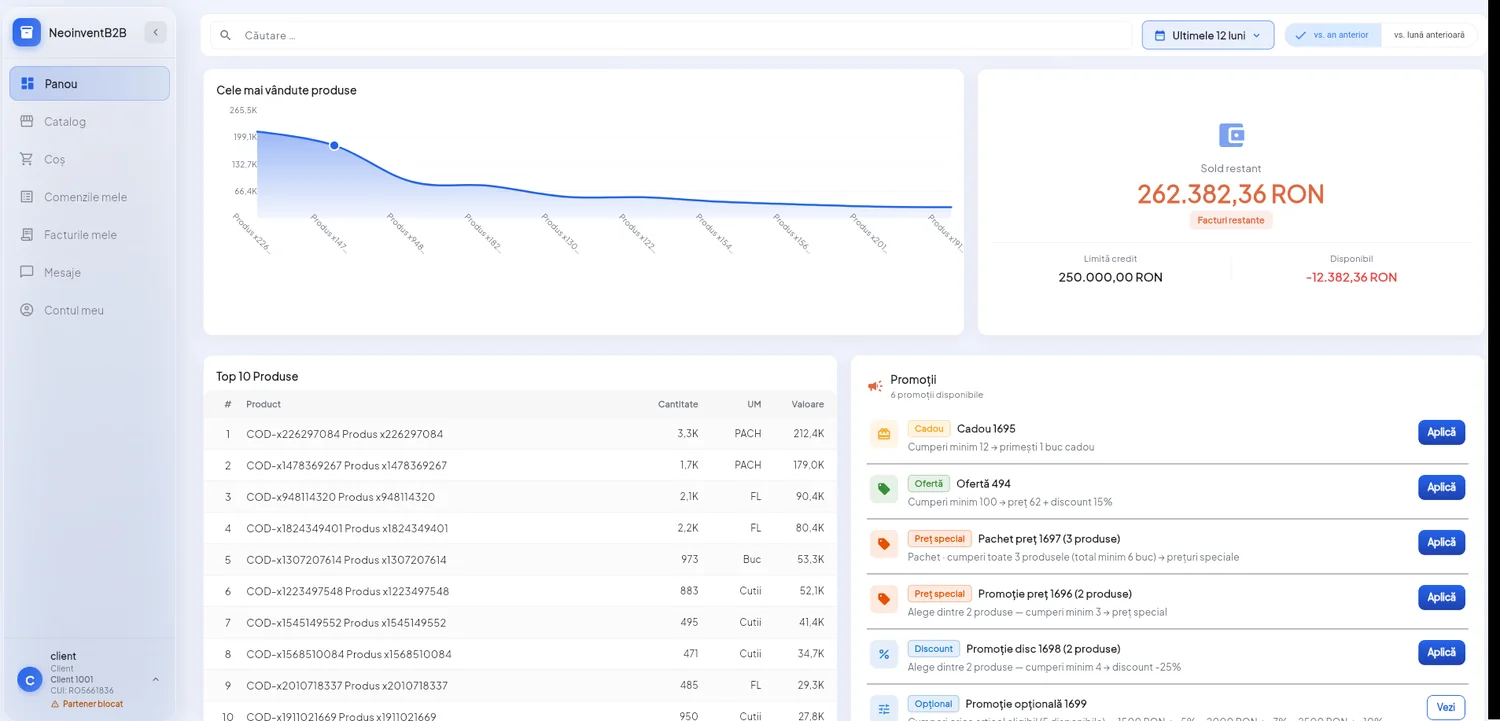
Customers see their own outstanding balance, credit limit and available credit, including when available credit is negative. They don't have to call anyone to find out why they can't place an order.
A credit hold follows a clear rule: maximum balance exceeded, or a set number of unpaid invoices. ⭐ A warning appears before the threshold is reached, and blocked customers are shown separately on the company dashboard.
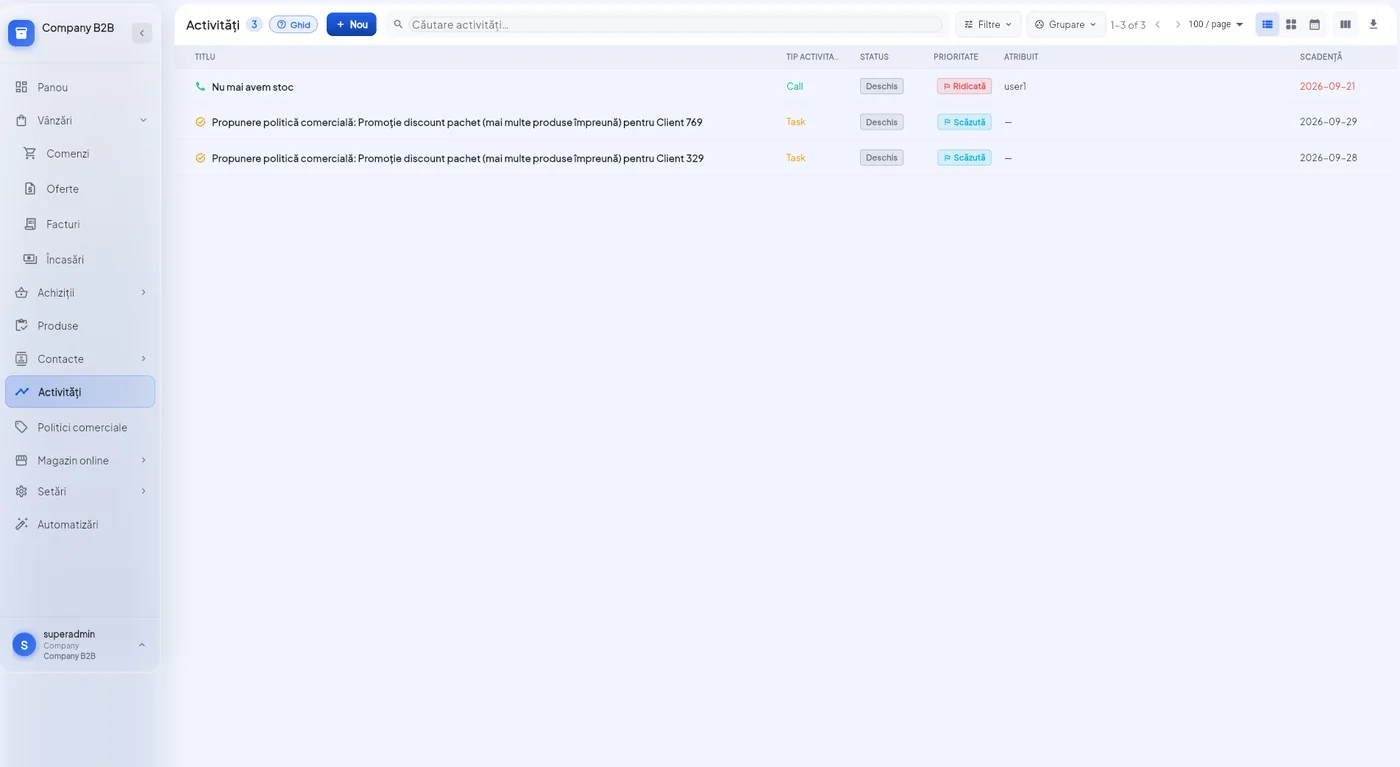
Tasks, calls, meetings, emails, document uploads, payment confirmations, order checks. Each one has an owner, a priority and a due date, and is linked to the thing it's about.
An activity sits on an order, a product, a customer or an invoice. You open the order and see what needs doing on it, without hunting through a separate list you have to remember.
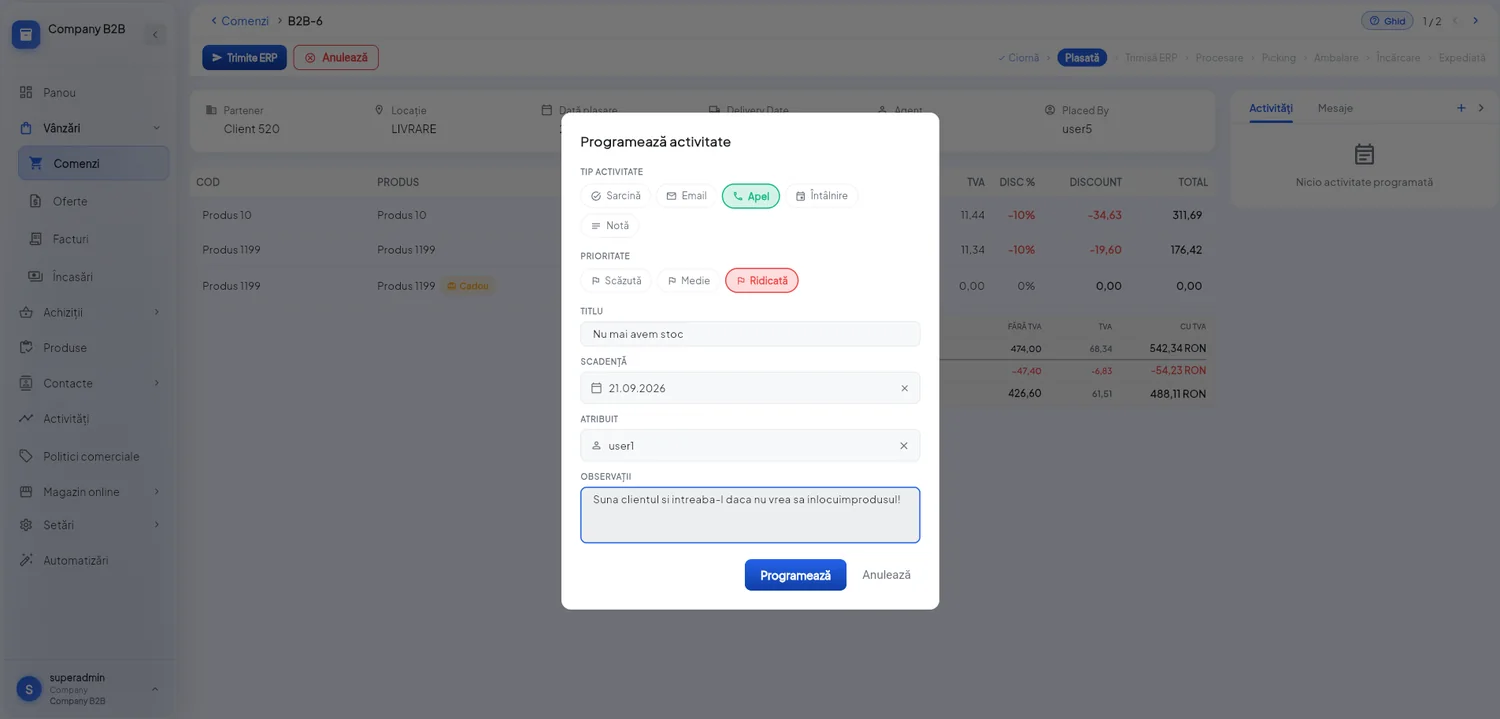
You schedule an activity straight from the order or customer you're looking at: type, priority, due date, owner and notes, filled in within seconds. You don't have to leave the current screen to note down what you need to do.
A rule has a trigger and a list of actions. The trigger is a real event in the platform: an order moves to “Placed”, an invoice becomes overdue, a customer is blocked, an activity passes its due date.
An action can send an email with a chosen template and recipients, or create an activity for the right person. You add, reorder and switch them off from the interface.
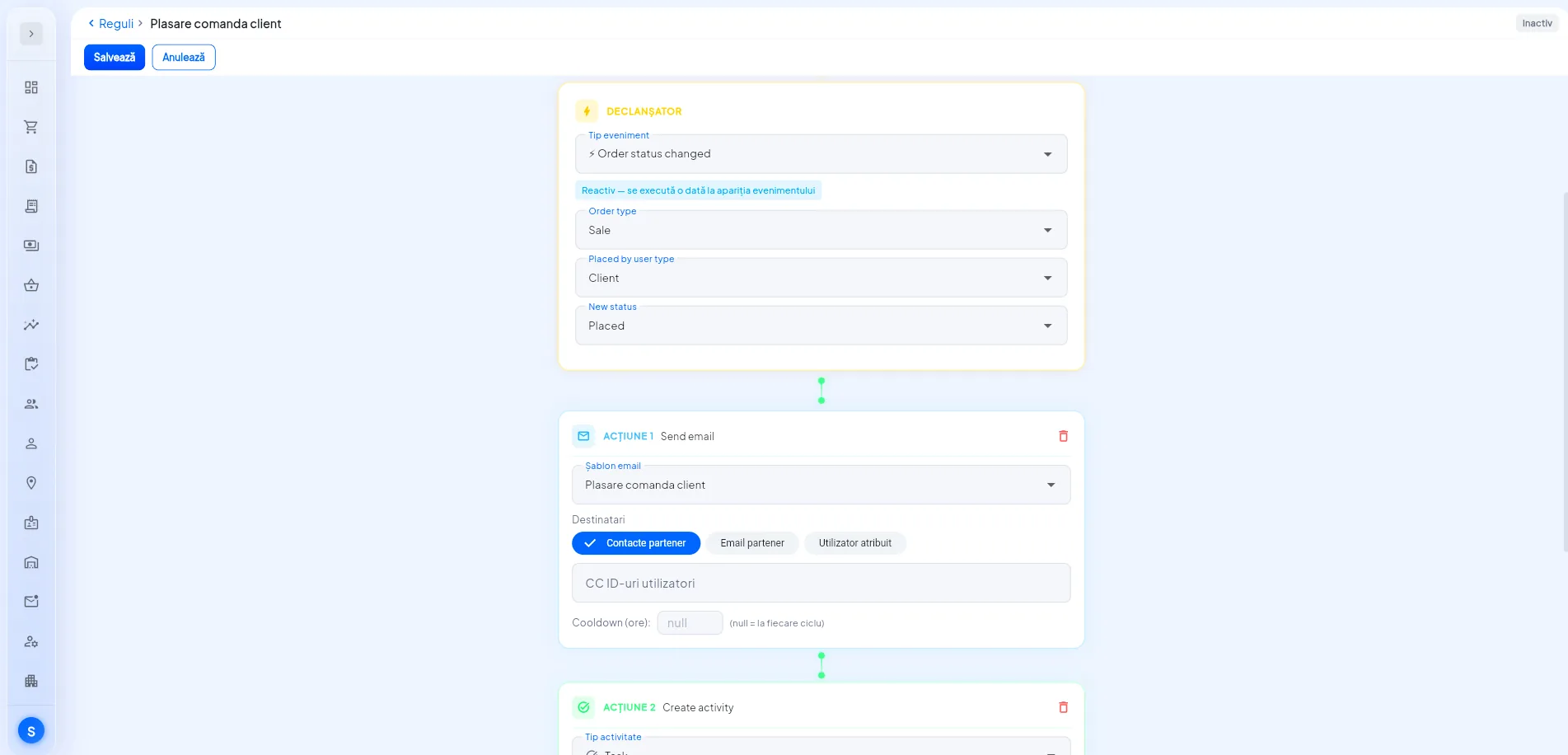
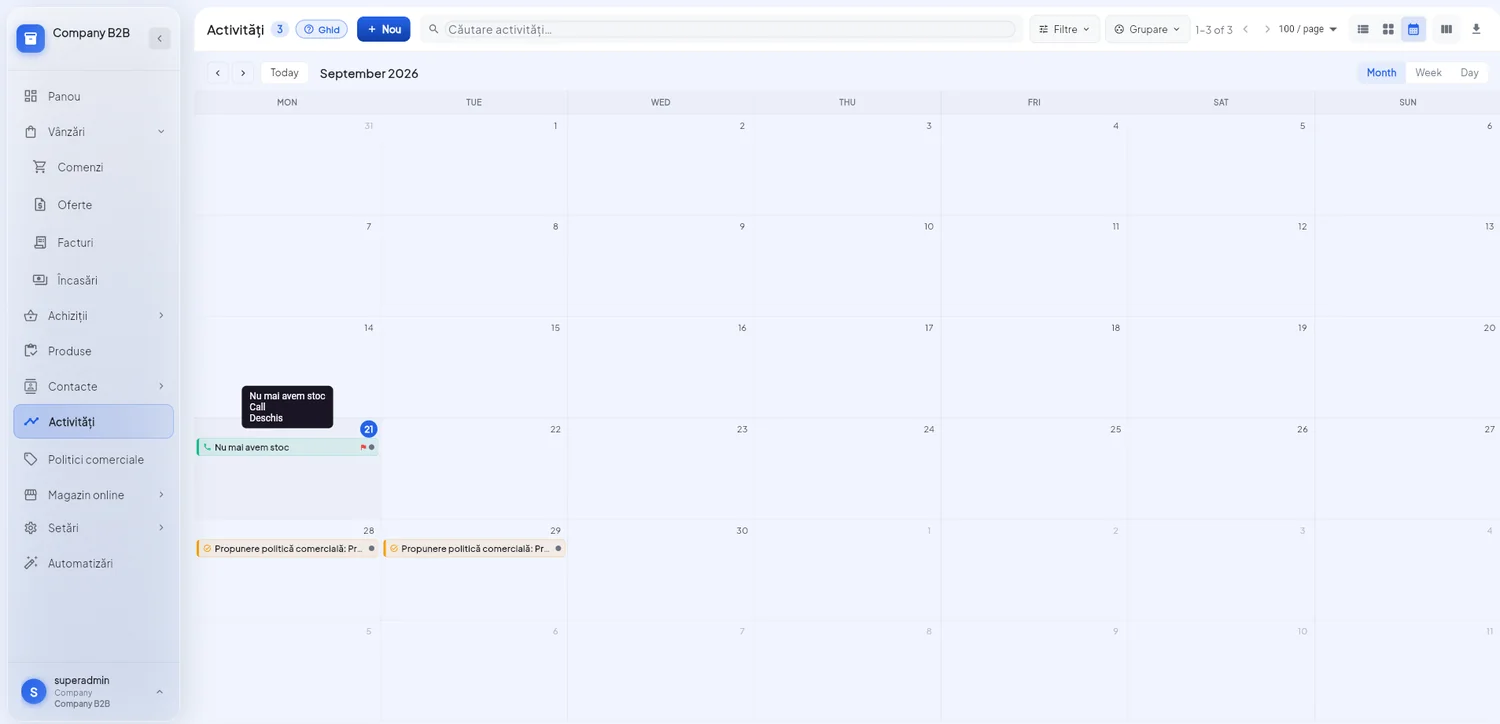
A rule that creates an activity puts it in the owner's calendar, with its due date. The automation doesn't stay an invisible process running somewhere: it shows up exactly like a task set by a person, alongside all the others.
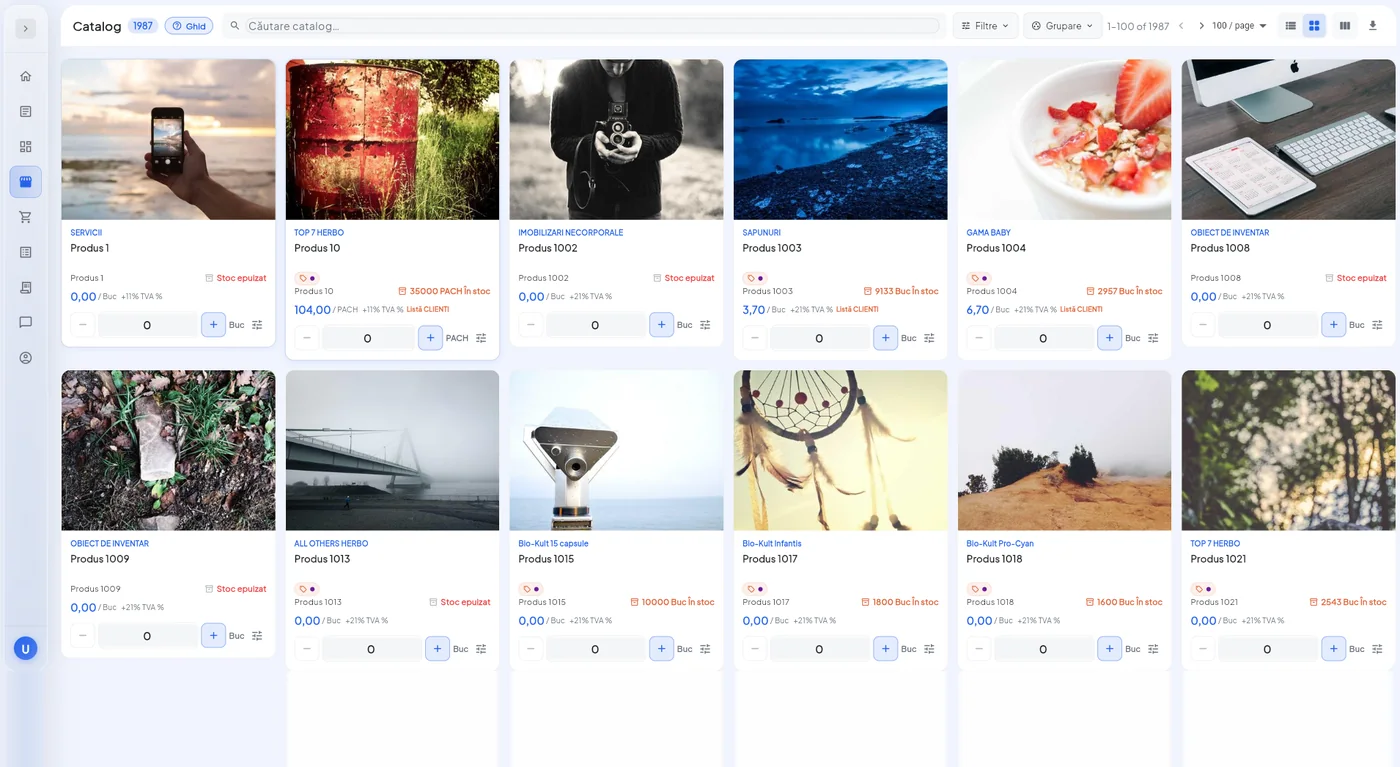
Customers log in and see their own catalog: the products published for them, at the prices on their price list, with pack sizes and minimum order quantities.
Each product shows which policy applies and why: price list, standing discount rule, offer, free-gift promotion. No discount appears out of nowhere at checkout.
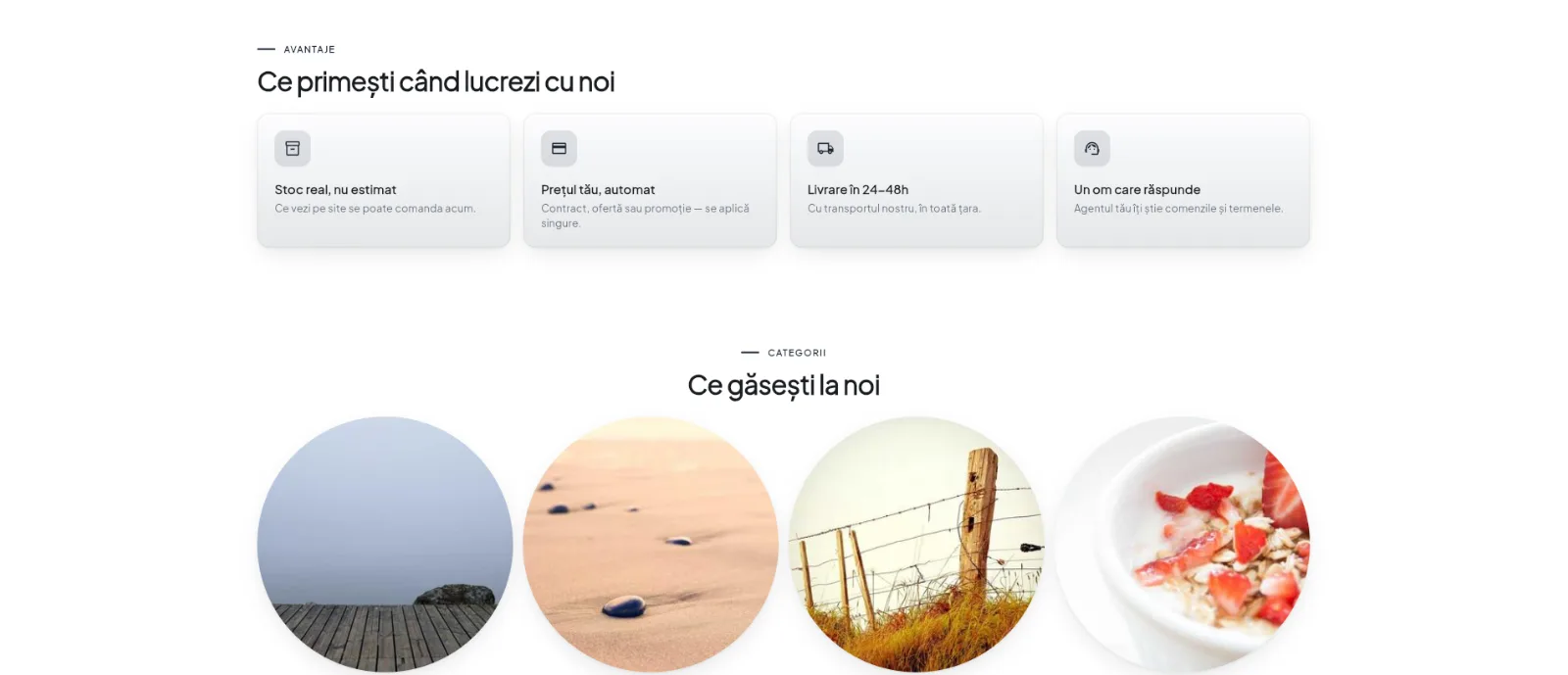
The portal also has a public side: an online store with your company's presentation page, covering what you sell, how you work, the figures that matter, your product categories and a form where a new partner can request an account.
It is configured entirely from the back office, with no developer needed: sections are added, reordered and switched off, text and images change on the spot, and you see the result immediately. Next week's campaign no longer has to go through anyone outside your team.
From the moment an order enters preparation, the customer sees the real stages it moves through: accepted, in preparation, prepared, packed, shipped, delivered. The status updates automatically, with no manually entered estimates.
Next to the order sits a message thread. A question about a line, a change of address or a confirmation is written right where it belongs, not in an email someone will be searching for three weeks later.
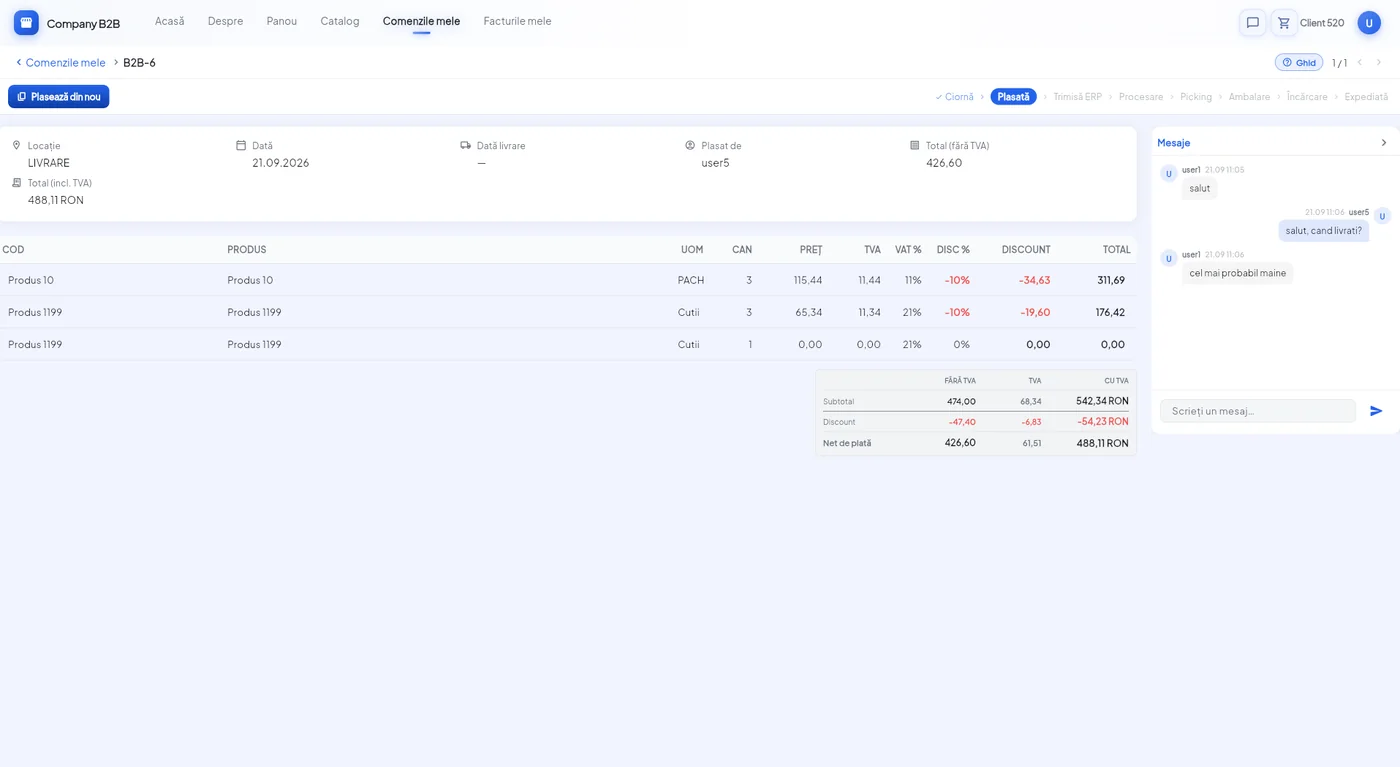
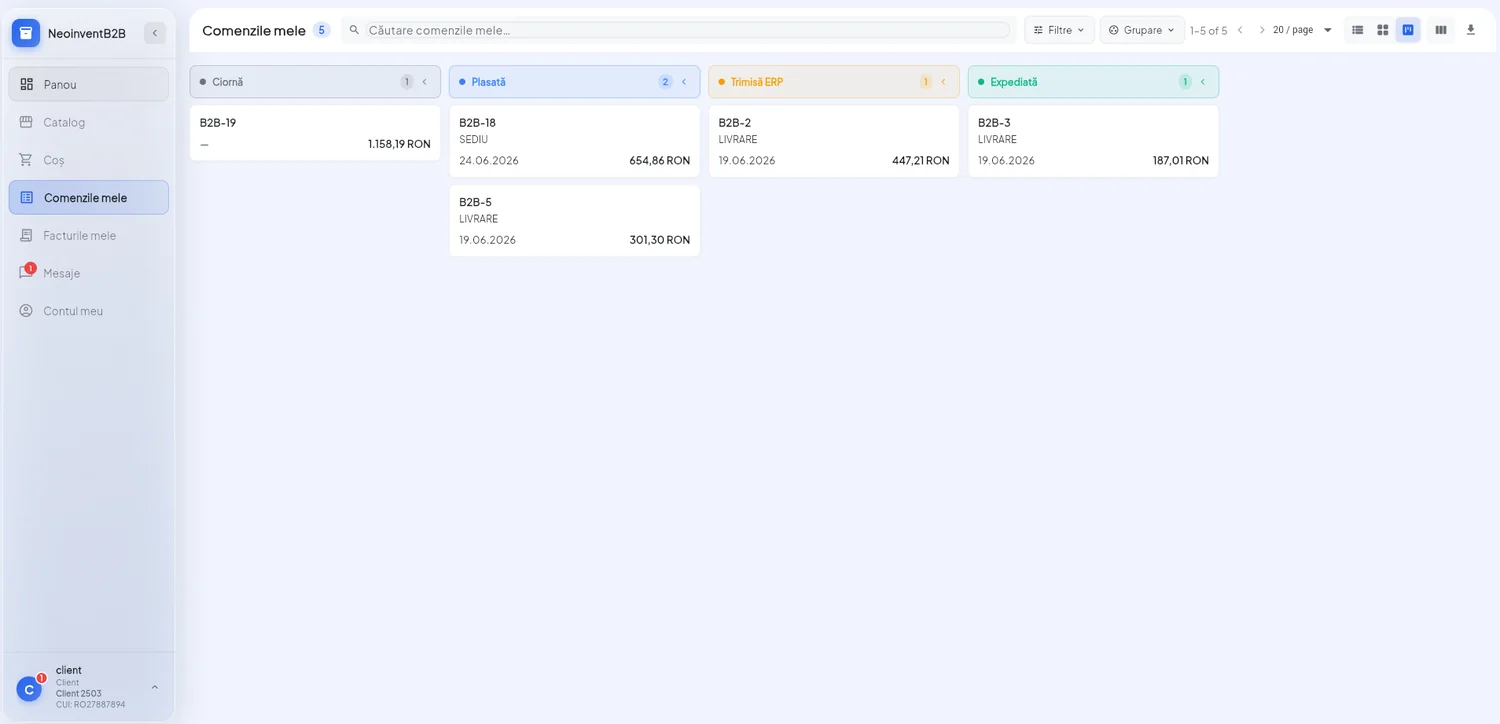
All their orders, grouped by status, with the value and date of each. An order moves to the next column by itself as it progresses, so the answer to “where's my order?” is on screen before anyone asks. The company sees the same view, for all customers.
Invoices come from your ERP and appear in the portal with their lines, their payment due dates and the remaining balance on each due date, not just on the invoice as a whole.
⚠️ These are synced documents: they can be viewed and downloaded, but not edited in the portal. The accounting record stays in the ERP.
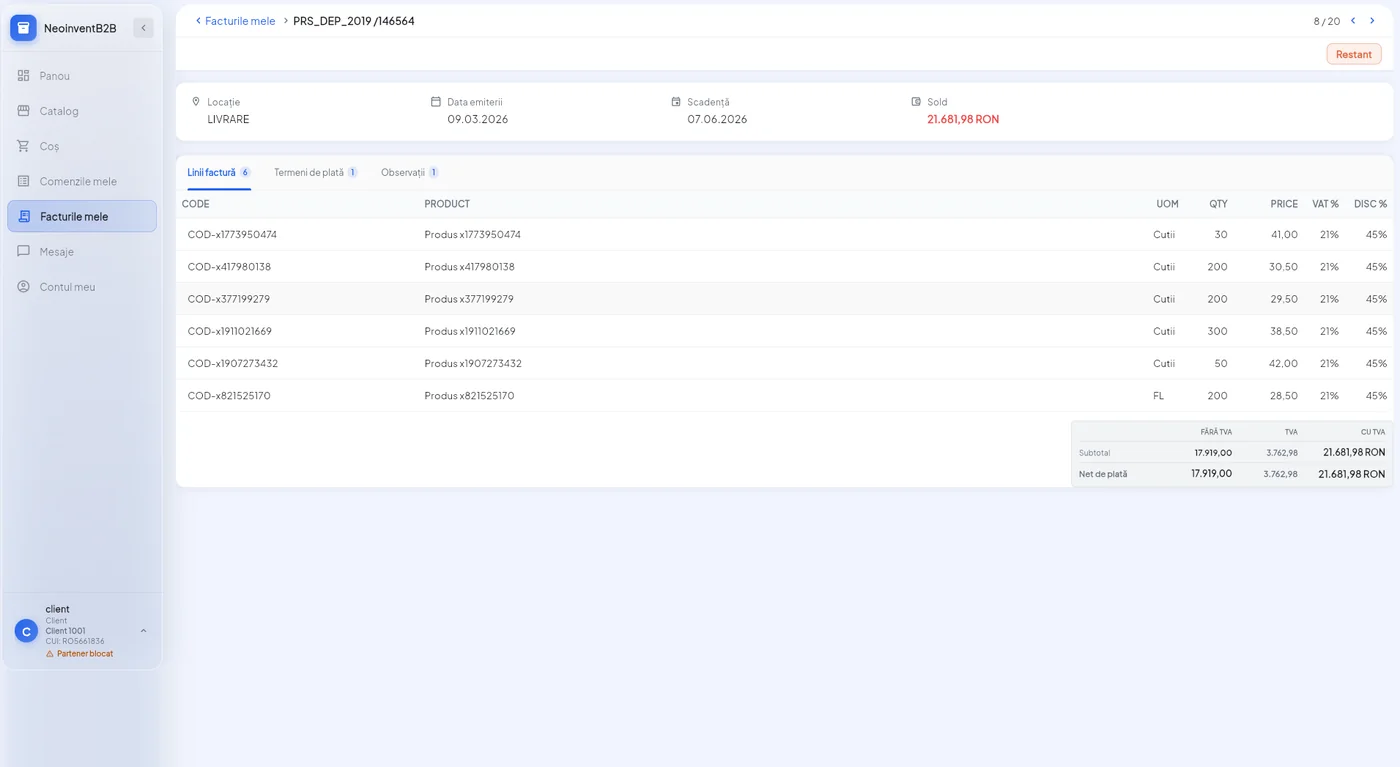
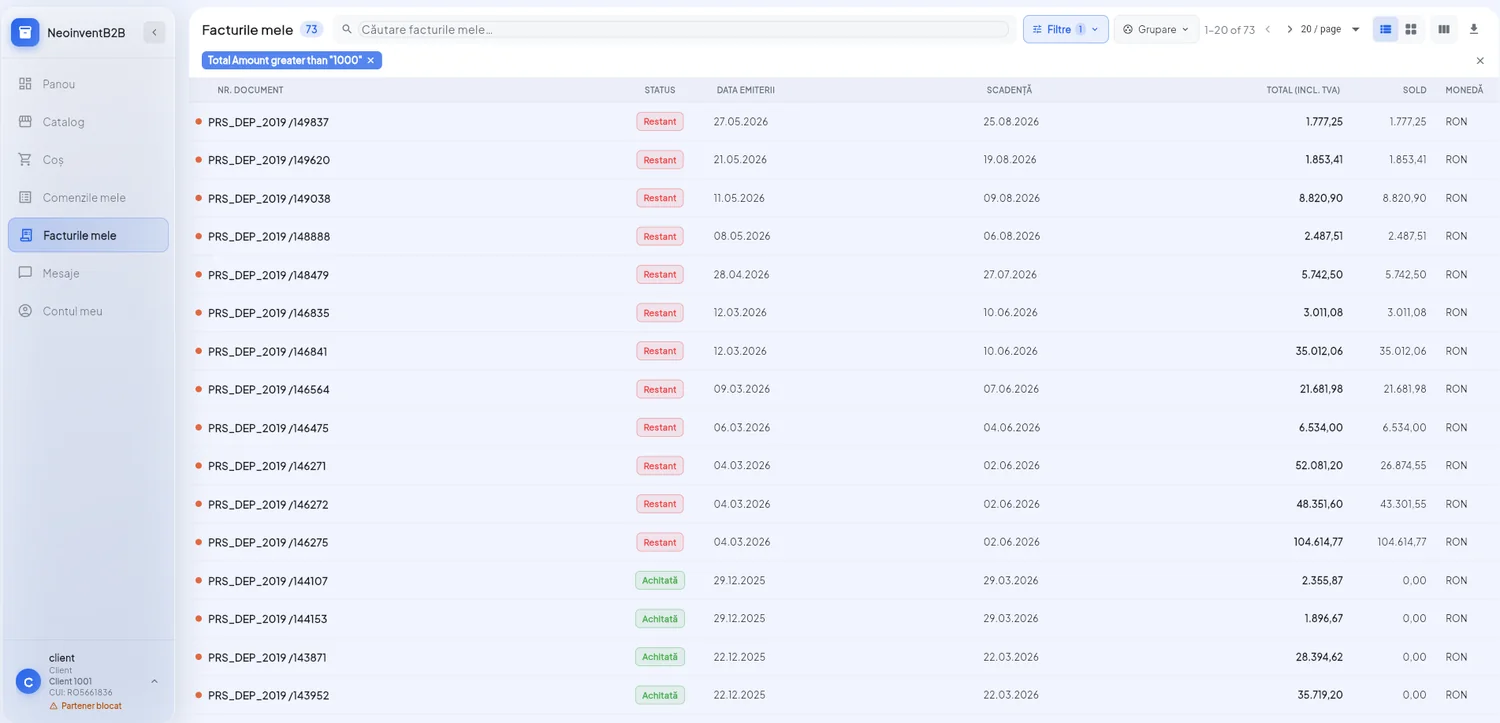
The invoice list with issue date, due date, amount and remaining balance for each, with overdue invoices clearly marked and totals calculated for the current selection. On a single page, customers see how much they owe and by when.
The platform is licensed as a whole (back office and customer portal) and integrates with the ERP system you already use. Implementation services are provided by the NEXT team.
How your customer relationships work today, what pricing policies you have and what each role needs to see.
Syncing pricing policies, publishing products, setting up customer accounts and automation rules.
Separate sessions for your company and for your customers, because each of them is effectively using a different product.
Launch with a pilot group of customers, then roll out to the rest. Support through the first stages after go-live.
The platform is developed by NEXT. So a requirement specific to your business (a workflow, a report, a rule) can actually be built, not just approximated with what already exists.
You can start in stages: first the customer portal with catalog and ordering, then sales analytics, then automations. Each stage is useful on its own, so you don't have to wait until the end to see results.