
Pre-visit brief
An automatically written summary of the customer the rep is about to visit: segment, ordering rhythm, days since the last order, which products have dropped and by how much, outstanding balance, recent activity.
A field sales app for your reps: customer history, targets, pricing policies and ordering straight from the phone.
Almost every sales force app does the same thing: it hands the rep a catalog and lets them take the order. That solves transcription, not selling.
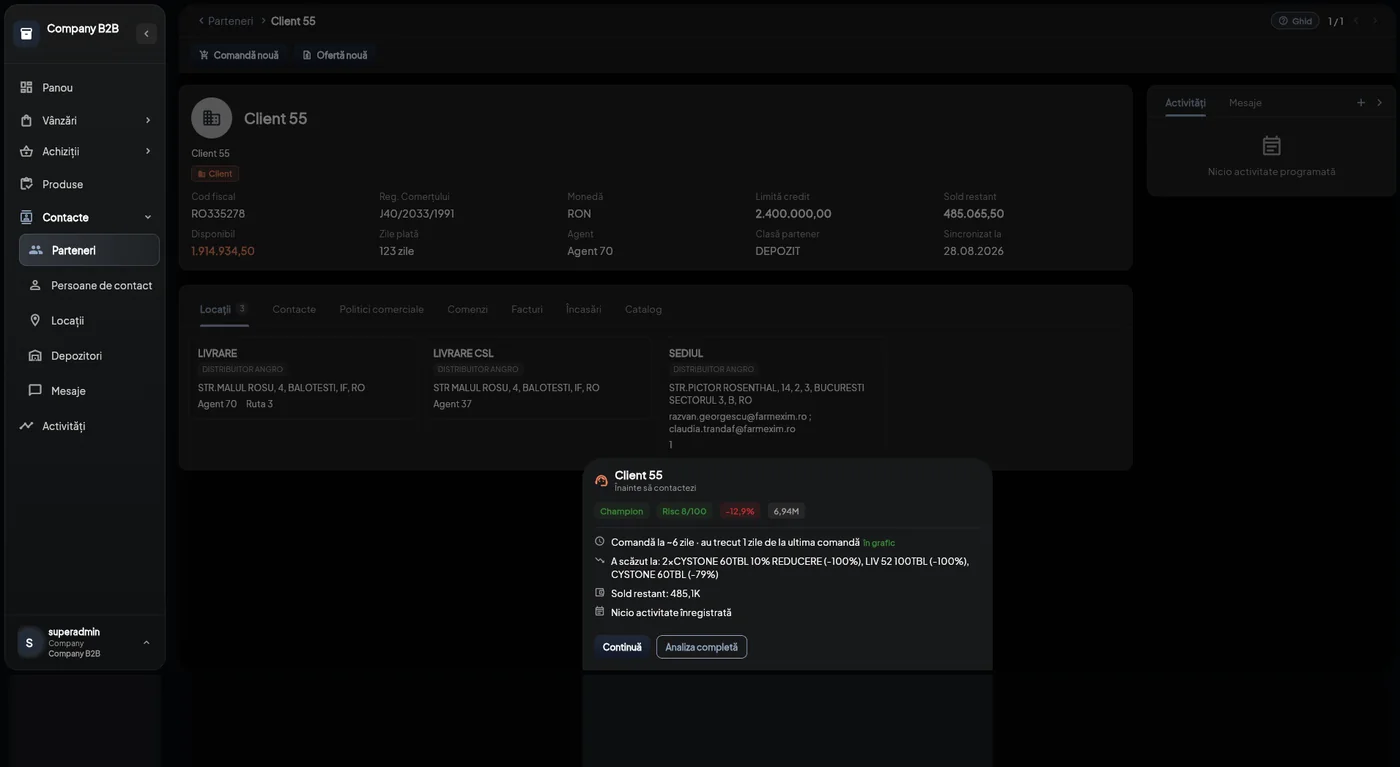
⭐ Our SFA starts somewhere else. Before the rep walks through the door, the app tells them what has changed with this customer: how often they usually order, how many days it has been since their last order, which products have dropped and by how much, what balance they carry and how likely they are to churn.
It is the sales rep portal of the NEXT B2B platform, not a separate product. Pricing policies, invoices and warehouse statuses are the same, and each rep sees their share of them, filtered by the customers and products mapped to them.
On the desktop for office days, on the phone for field days. The same data and the same order in progress, picked up on the other screen.
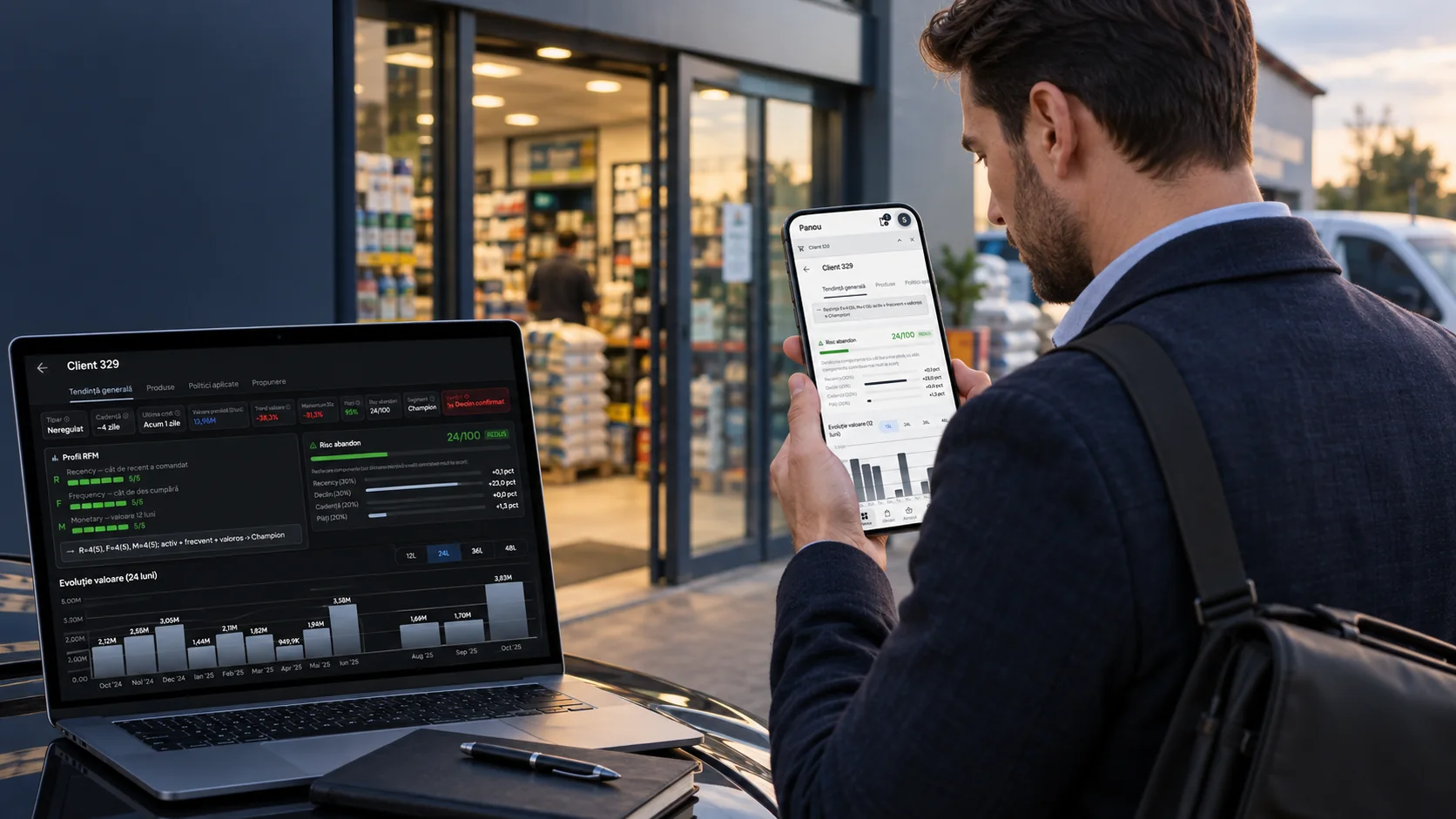
The difference isn't the number of features. It's what your rep knows before the conversation starts.
An automatically written summary of the customer the rep is about to visit: segment, ordering rhythm, days since the last order, which products have dropped and by how much, outstanding balance, recent activity.
An annual plan based on five metrics (value, quantity, number of customers, number of orders, visits), broken down monthly, quarterly, half-yearly or yearly, with actuals calculated from invoices.
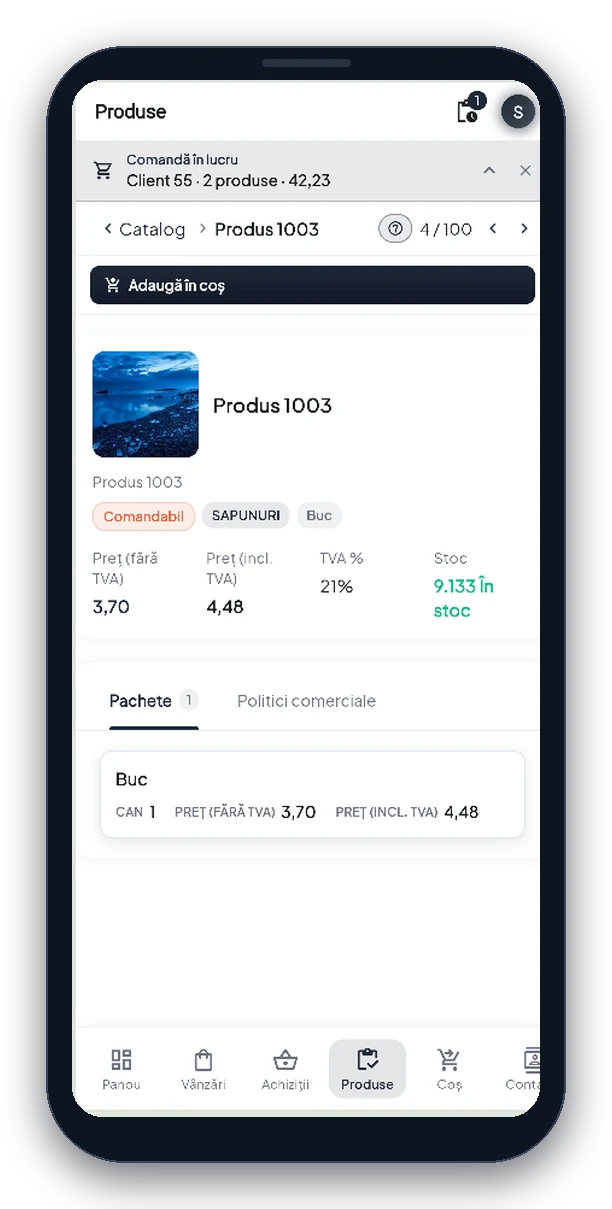
On every product, the rep sees which price list, discount rule and offer apply to the current customer, and how far it is to the next threshold.
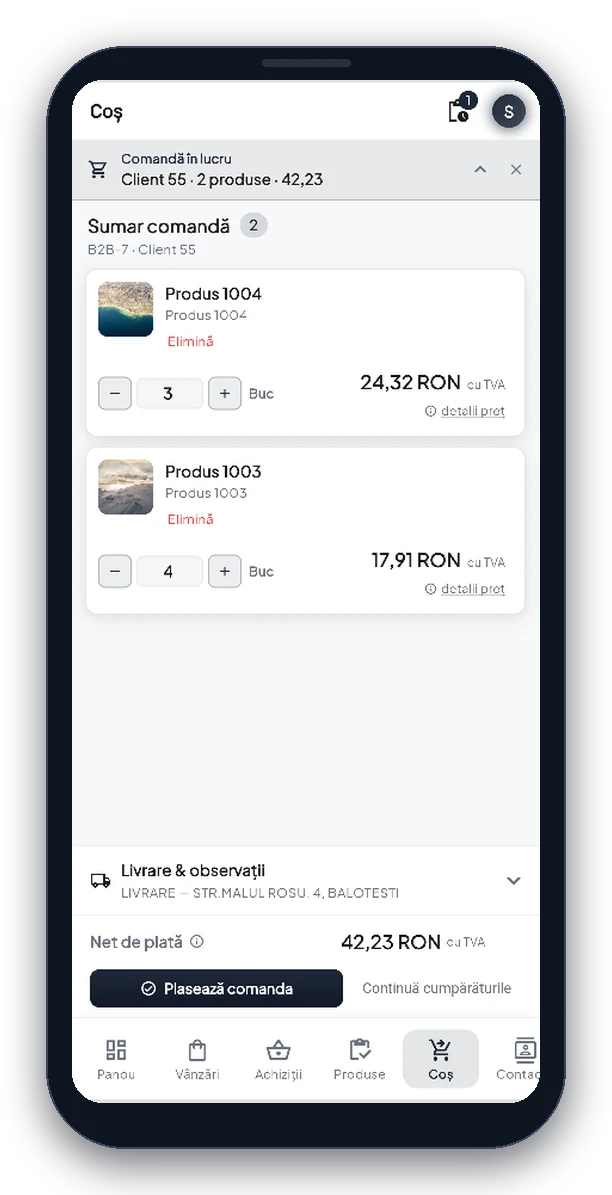
An order started on the phone opens on the desktop and vice versa, because it is the same order, not a copy. The top bar always shows which customer you're working on and the current total.
A real-time discussion thread on each order, between rep, customer and company. Whatever was agreed stays next to the document it refers to.
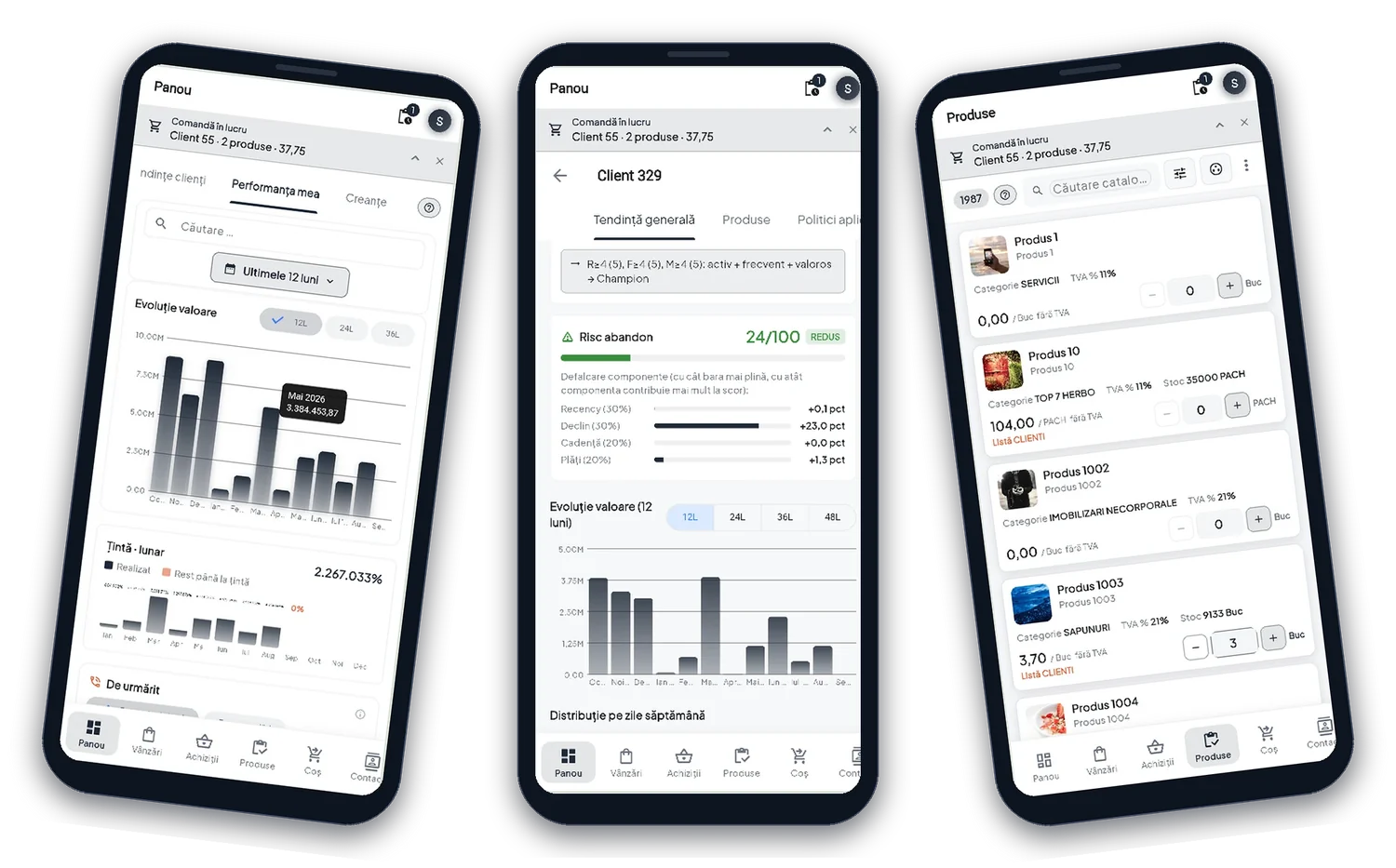
The mobile app isn't a cut-down version: it has the same dashboards, the same trends and the same personal performance view as the desktop version.

The NEXT team has more than 15 years of experience in business software and over 500 projects, including in distribution, where the sales force is at the heart of the business.
Implementation starts from how your sales reps work today: which partner and product classes they cover, from which warehouses, with what targets and what commission rules. The mappings are built from that information.
The platform is developed by us. A requirement that doesn't exist today (a KPI, a visit workflow, a report) gets built, not worked around.
Pick one to jump straight to it.
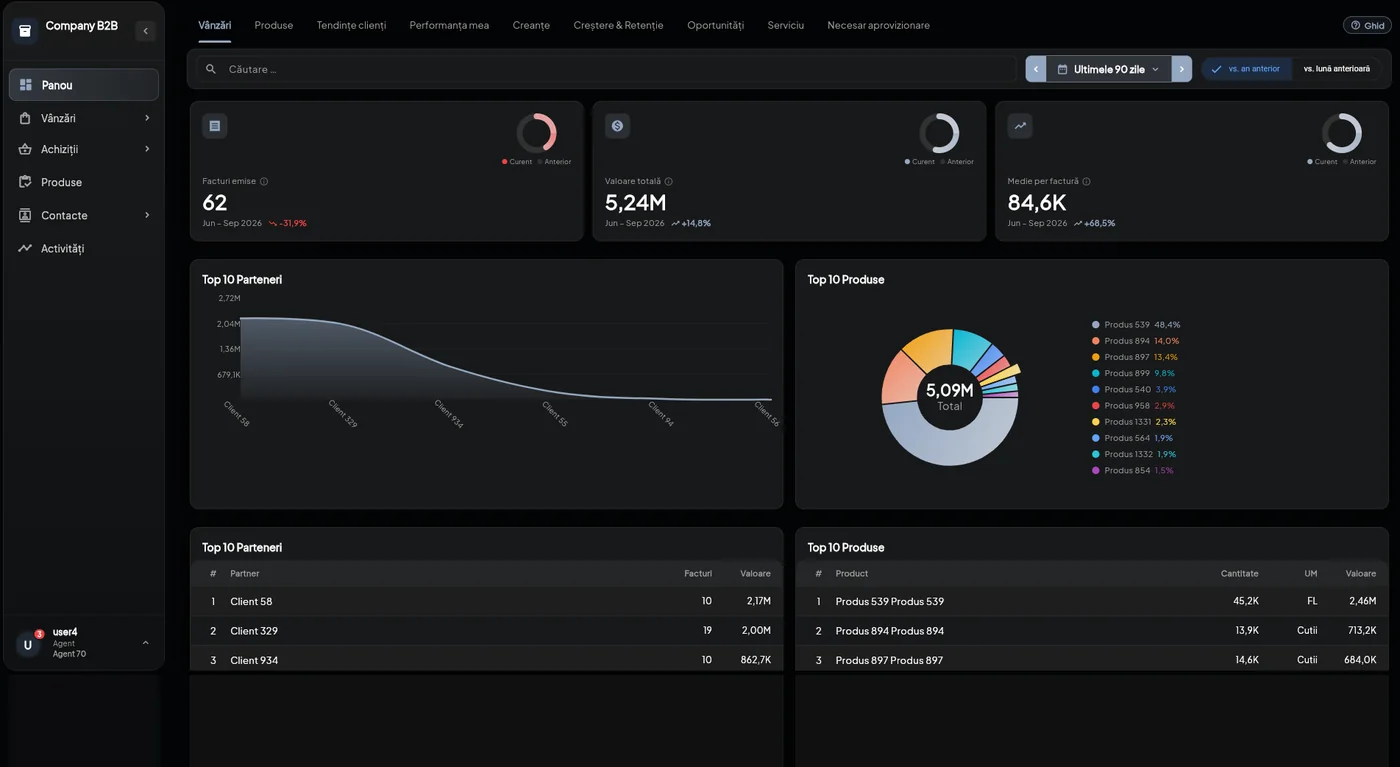
The same nine areas as the company view (sales, products, customer trends, personal performance, receivables, growth and retention, opportunities, service level, replenishment needs), but filtered to the rep's own portfolio.
The filtering isn't a screen setting. It's a server-side rule: reps see customers in the classes mapped to them, products in their categories and their own warehouses. ⚠️ A rep with no mappings sees everything. For small companies, that is the right behavior.
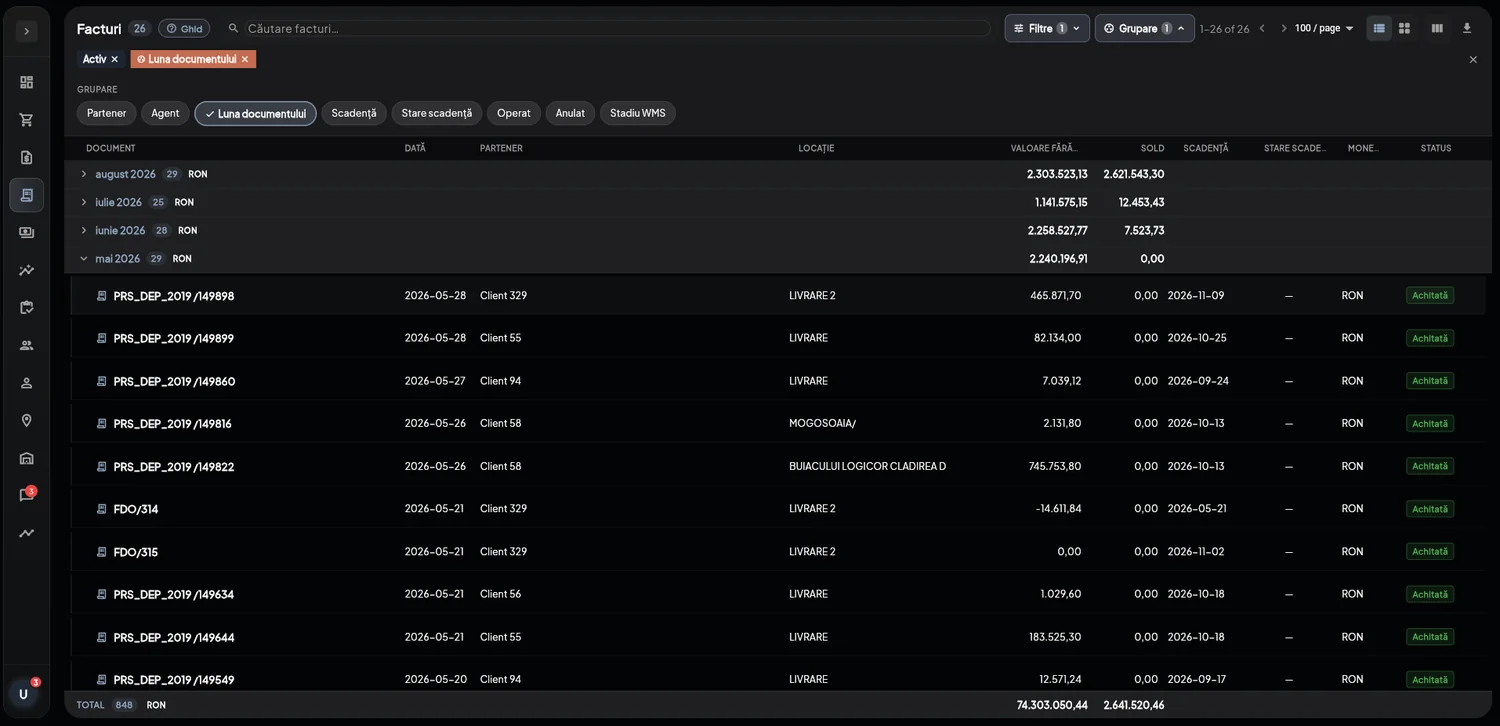
Invoices for the rep's customers, grouped by month, by partner or by due date, with the remaining balance on each and the warehouse status alongside.
⭐ Payments are collected against payment due dates, not against invoices. The rep can enter an amount that is spread across due dates automatically, or tick the invoices it covers. Either way, the allocation uses the same algorithm.
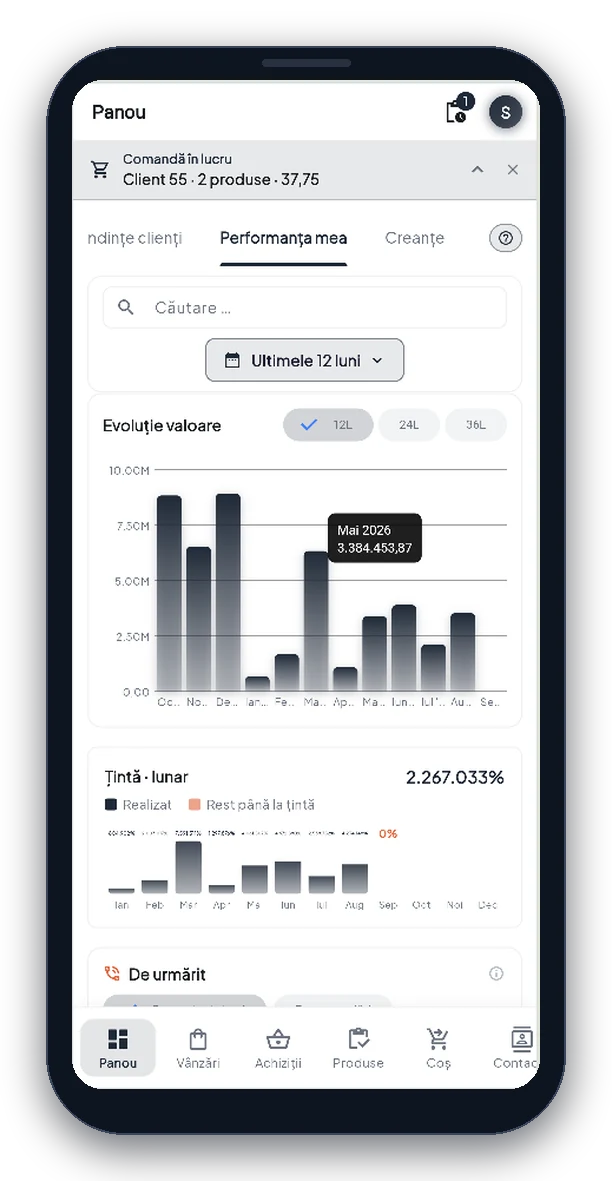
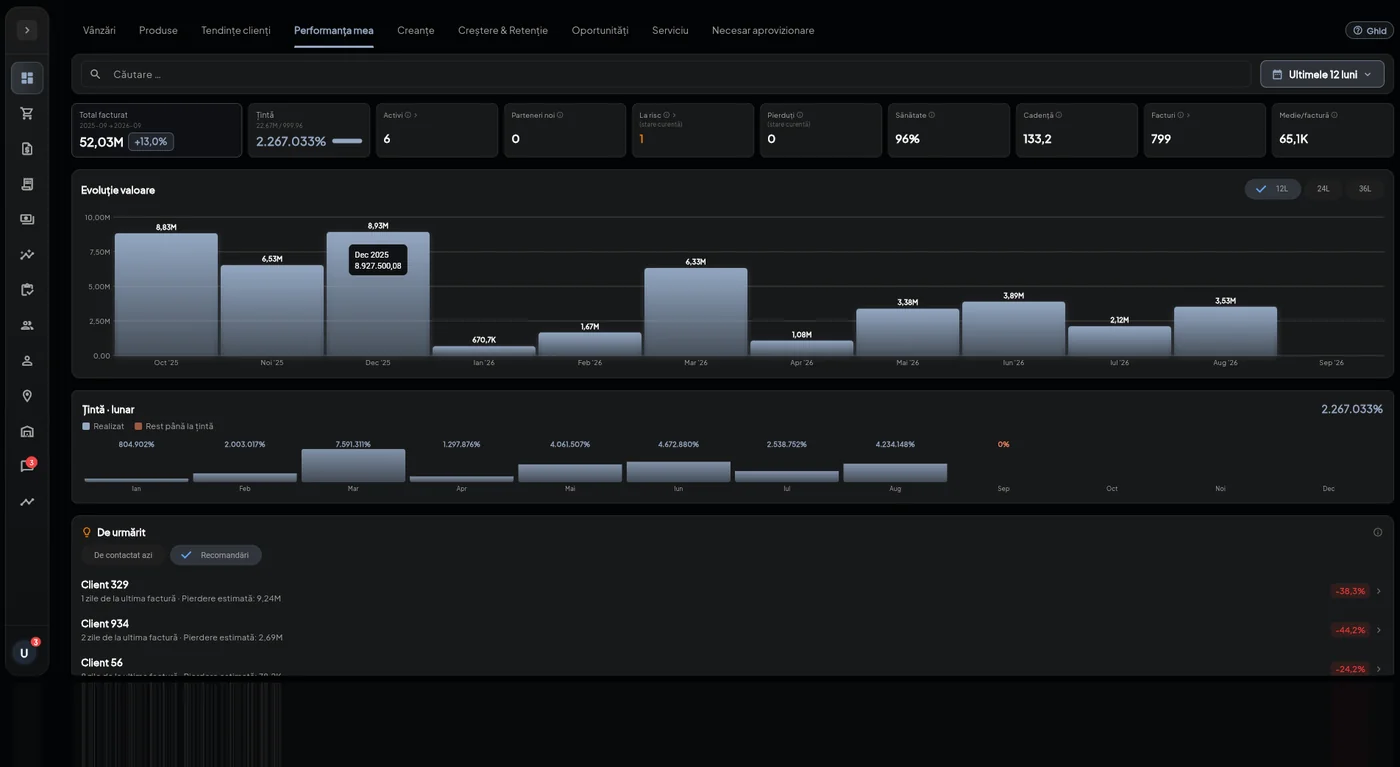
The screen reps open in the morning: how much they've invoiced, how far above or below the previous period they are, the month-by-month trend and how far they still are from their target.
The target isn't a single monthly number. It's an annual plan based on one of five metrics (value, quantity, number of customers, number of orders or visits), broken down by period and, for value and quantity, by product class, product or customer.
Below the targets sits the “Follow up” list: customers who need attention now, each with the reason spelled out (days since the last invoice, how much they've dropped, what amount is at stake).
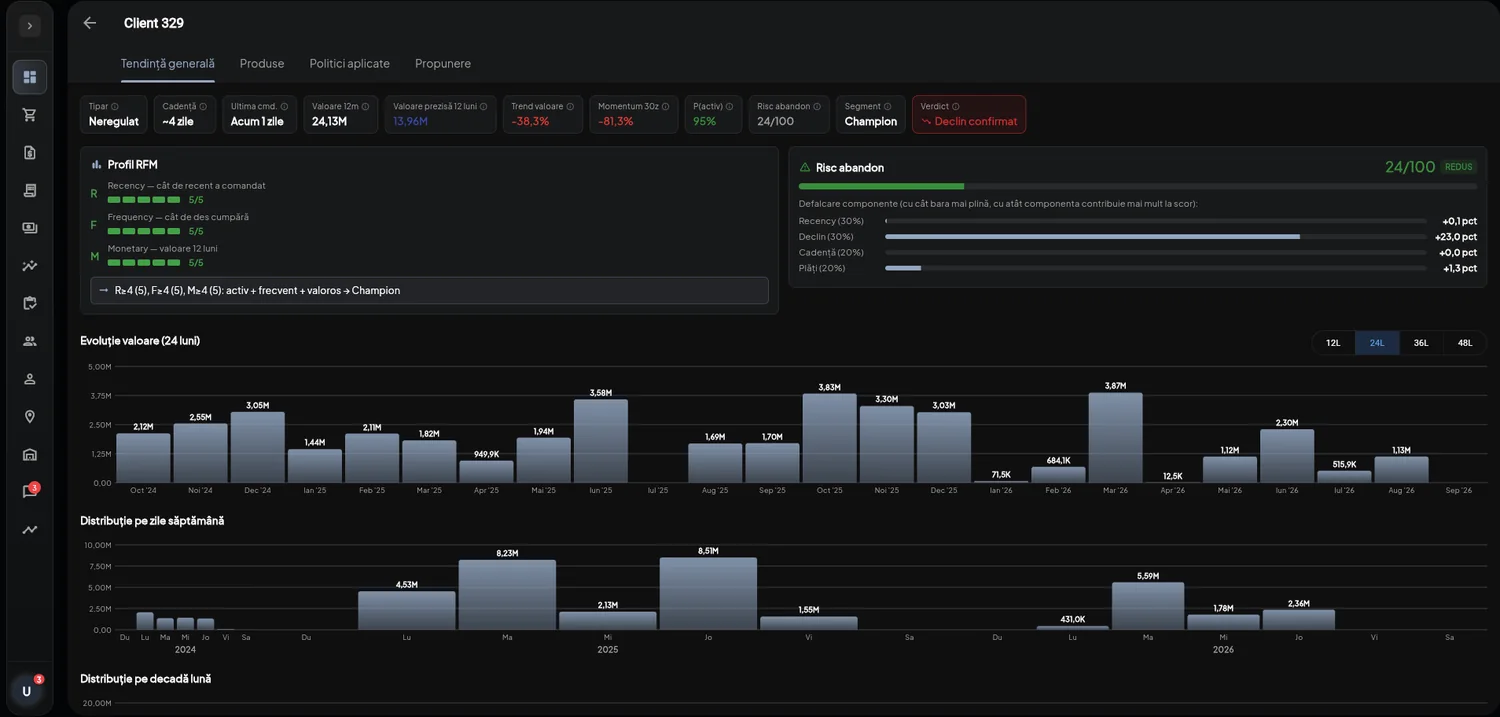
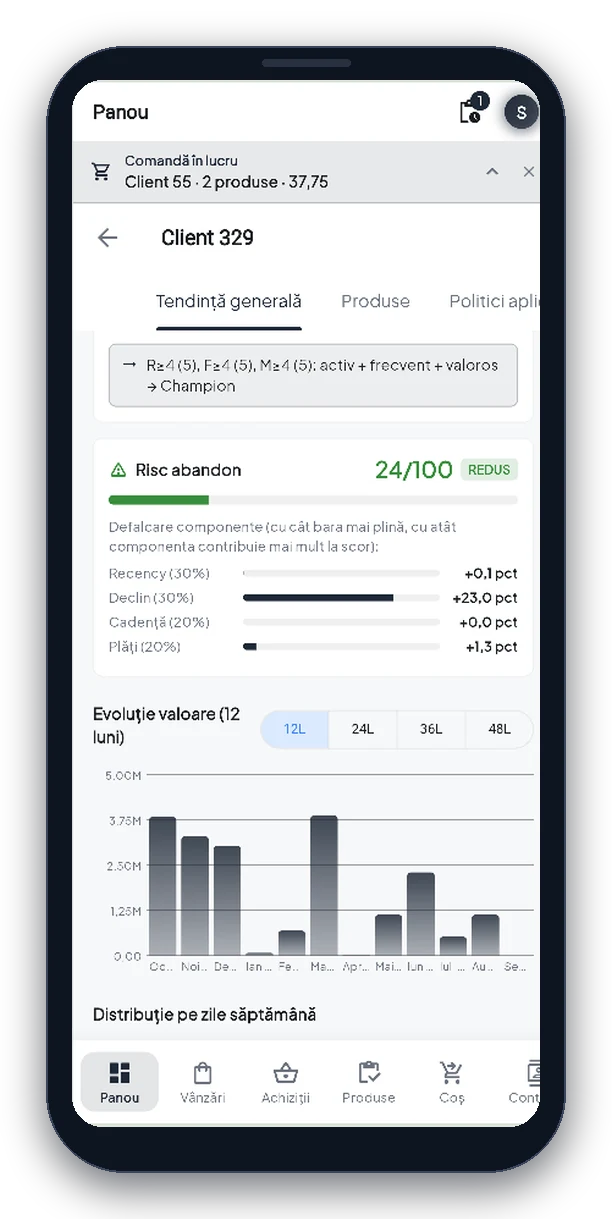
RFM profile, ordering pattern, cadence, trend direction and churn risk score, broken down into its factors so you can see what triggered the signal: time since the last order, drop in value, deviation from the usual rhythm, or frequency.
Plus value over 24 months and how orders are spread across the days of the week. That tells you which day is the best one to drop by.
The rep opens the customer's page and, before anything else, gets an automatically written paragraph: the segment the customer belongs to, the risk score, how often they usually order, how many days since their last order.
Then the part that does the preparation for you: which products have dropped and by how much, the outstanding balance, the customer's line of business, and whether there is any recent recorded activity.
From there, two buttons: continue, which opens the cart and starts the order, or full analysis, if a longer conversation is worth having.
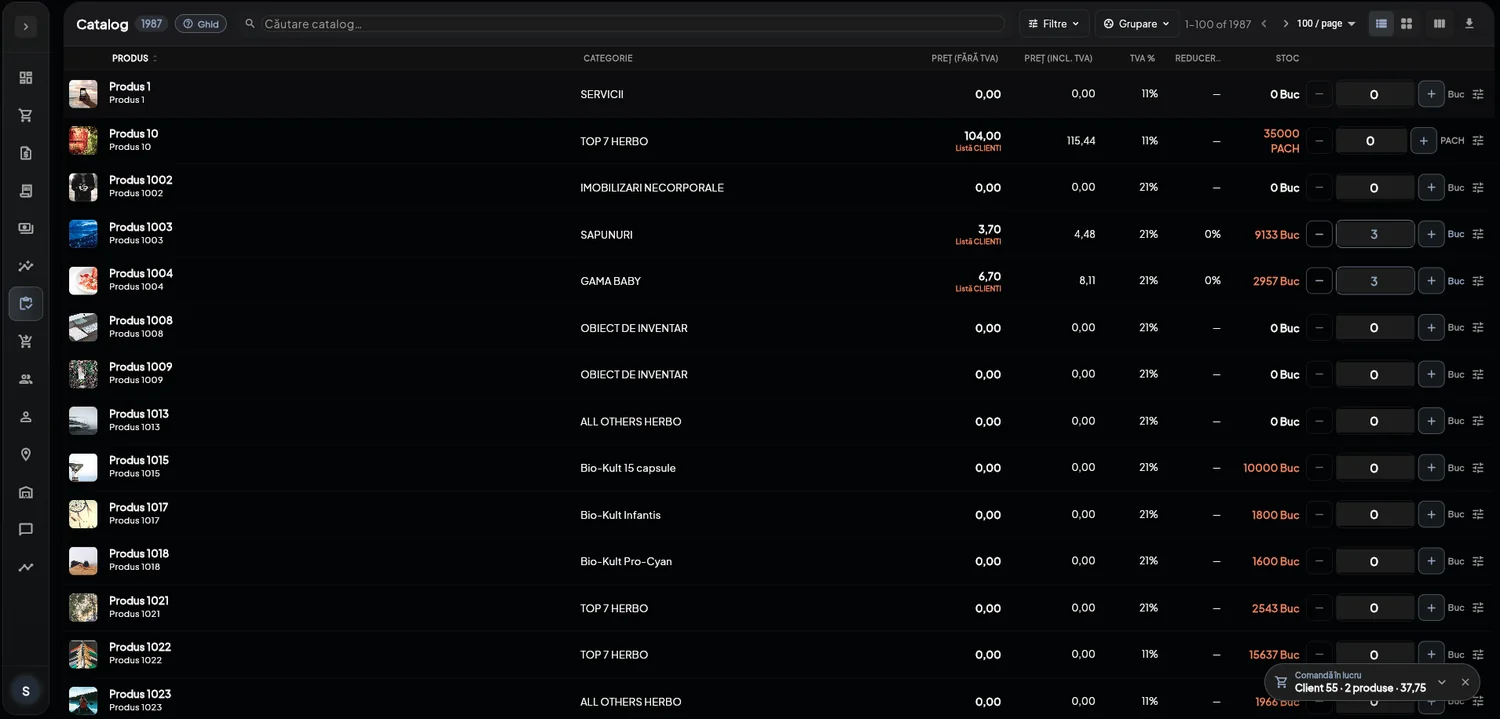
A dense list, search, quantity edited right on the line, and the customer's stock and price next to each product. The cart stays visible as a pill, with the customer's name and the running total.
⭐ At the end, there is nothing left to retype. The order goes out from the same app it was written in, with the header, prices and quantities agreed with the customer, and enters the same workflows as any other order in the platform.
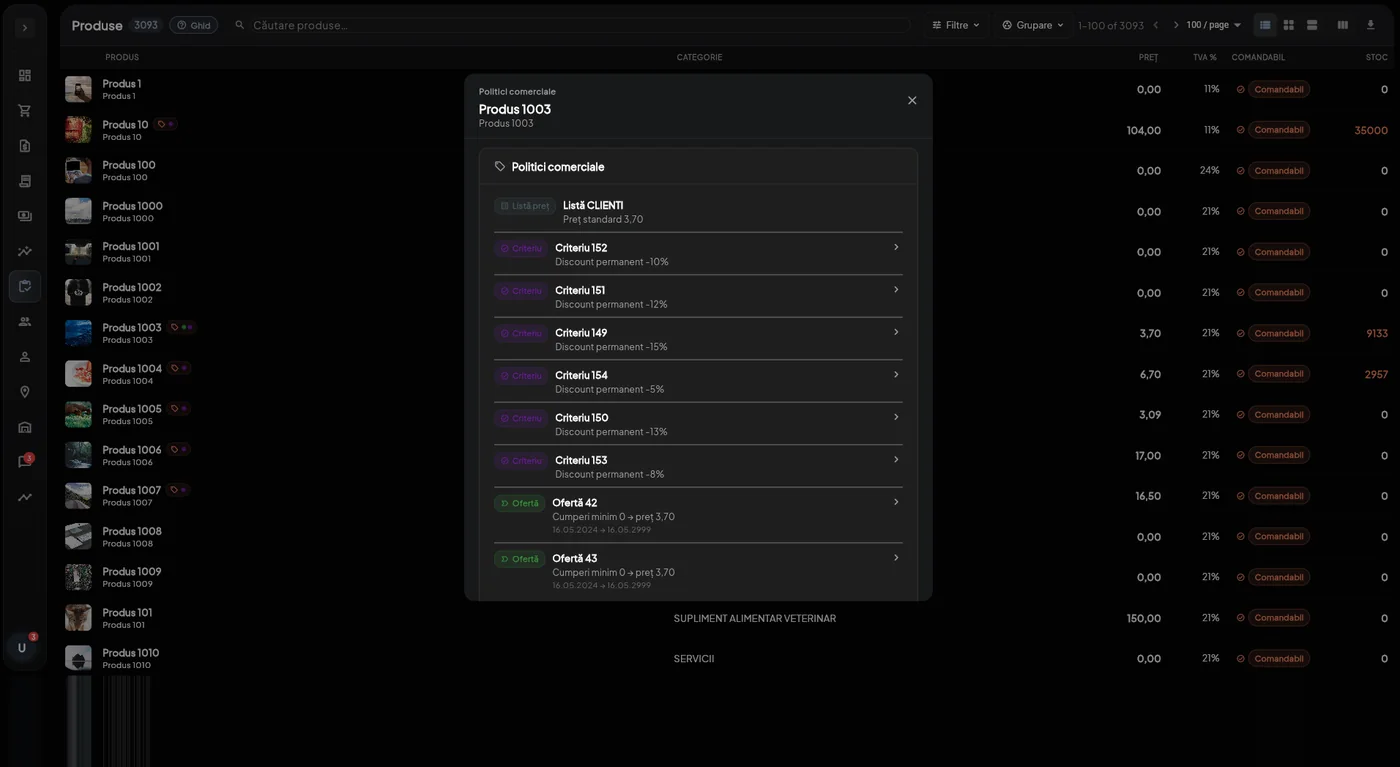
On every product, the rep can open the full list of policies that apply to the current customer: the price list, standing discount rules, active offers, free-gift promotions.
That way, the discount doesn't appear out of nowhere in the total, and the rep has the answer to the question customers ask on every visit: why that price?
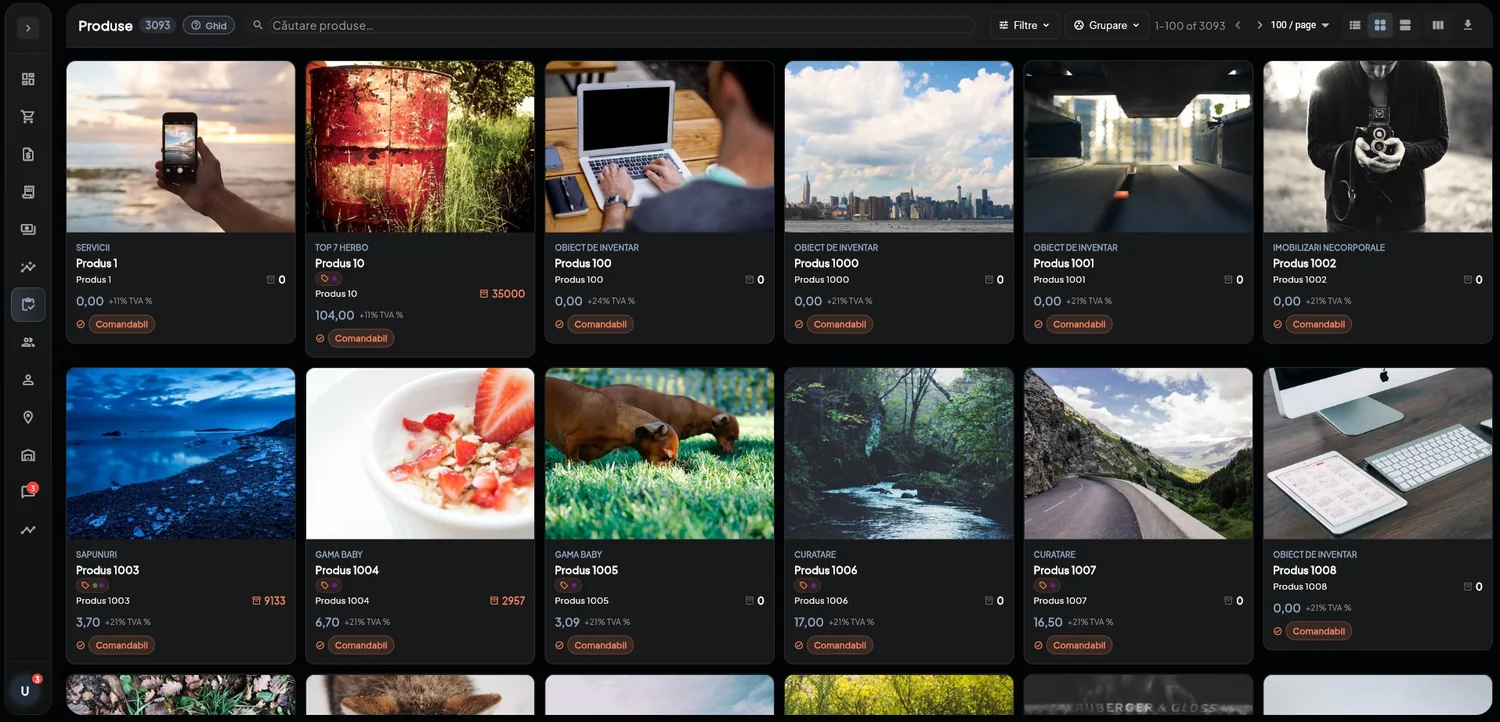
With images, categories, stock and availability. ⚠️ An out-of-stock product doesn't disappear from the catalog; it stays listed with a zero next to it. Otherwise the rep ends up searching for a product in front of the customer, without knowing whether it has run out or simply isn't sold to them.
The mobile app isn't a cut-down version. It has the same dashboards, the same customer trends and the same “My performance”, with the same targets and the same follow-up list.
An order started on the phone continues on the desktop and vice versa, because it is the same order, not a copy. The top bar always shows which customer you're working on and the current total, and the order goes out from the customer's parking lot, not from home in the evening.
The SFA is the sales rep portal of the NEXT B2B platform and is licensed together with it, or as an add-on if you already have the customer portal. It integrates with the ERP system you use. Implementation is provided by the NEXT team.
How reps are split across customers and products, which warehouses they deliver from, what targets they have and how they are measured today. The mappings and target plans come from this information.
Mappings by partner class, product category and warehouse, syncing of pricing policies, and rep accounts with their permissions.
Not in a classroom: on the phone, with each rep's real customers, during the first visits.
Launch with a pilot group of reps, then roll out to the rest. Support through the first stages after go-live.
If you already have the NEXT B2B portal, the SFA is an extension of it: the same data, the same policies, the same invoices. There's no second database to keep in sync with the first.
If not, you can launch both together. ⭐ We recommend starting with the sales reps: there are fewer of them, they give feedback faster, and what we learn from their portfolios prepares the rollout to customers.