

Reliability
A cloud solution with continuous releases. The product and its resources grow along with your warehouse and your business.
A 100% cloud warehouse management system: every product tracked from receiving to delivery.
A 100% cloud application that automates every operation in your warehouse and works on any device. Each product is labeled and tracked along the whole logistics flow, so you have full control over how goods move and traceability for every product or pallet.
Projects delivered for dozens of clients have let us build innovations into the system that transform the way the warehouse works, for greater efficiency, productivity and control:
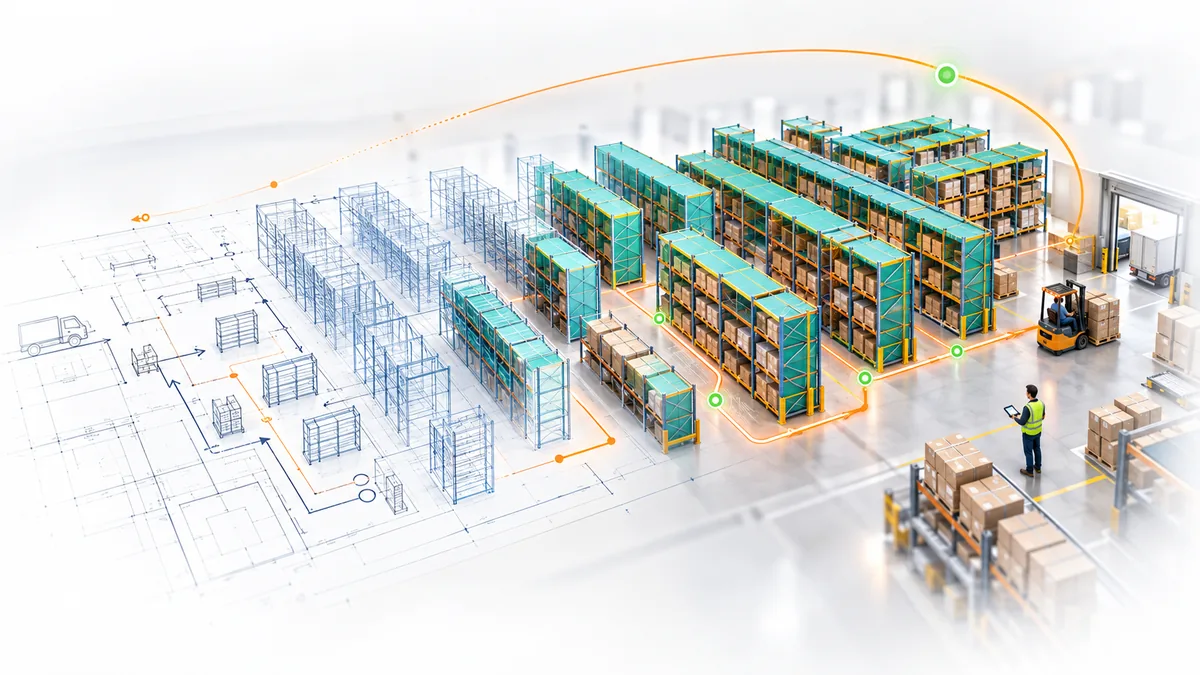
No picking errors and near-zero returns raise both the value and the reputation of your business.
A cloud solution with continuous releases. The product and its resources grow along with your warehouse and your business.
Optimized routes, products classified by sales and strategic slotting. Stock turns faster and operations take less time.
Fast remote fixes and support throughout the implementation, backed by over 15 years of logistics experience.
Configurable unloading methods, a warehouse organized by zones, and task priorities you set yourself.
Quick access to what you use every day, and little training needed for new staff.
Fewer manual errors, better use of storage space and faster deliveries. All of it shows up in your labor costs.

Our services are built on an implementation methodology we have developed and refined over time: business analysis, system design and customization, installation, testing and full user training.
Each stage is designed to shorten the transition and reduce disruption, so the solution you get matches your real processes.
Support continues after go-live: we step in quickly whenever something gets stuck, so the system stays part of your daily operations and keeps running without interruption.
See how full the warehouse is and locate products without setting foot in it.
Today's numbers, operator performance and what needs ordering.
Stock positions, stock health, expiry dates, traceability.
Receiving, order picking and transfers, with clear statuses and linked documents.
Most systems give you tables. Our WMS gives you the warehouse too.
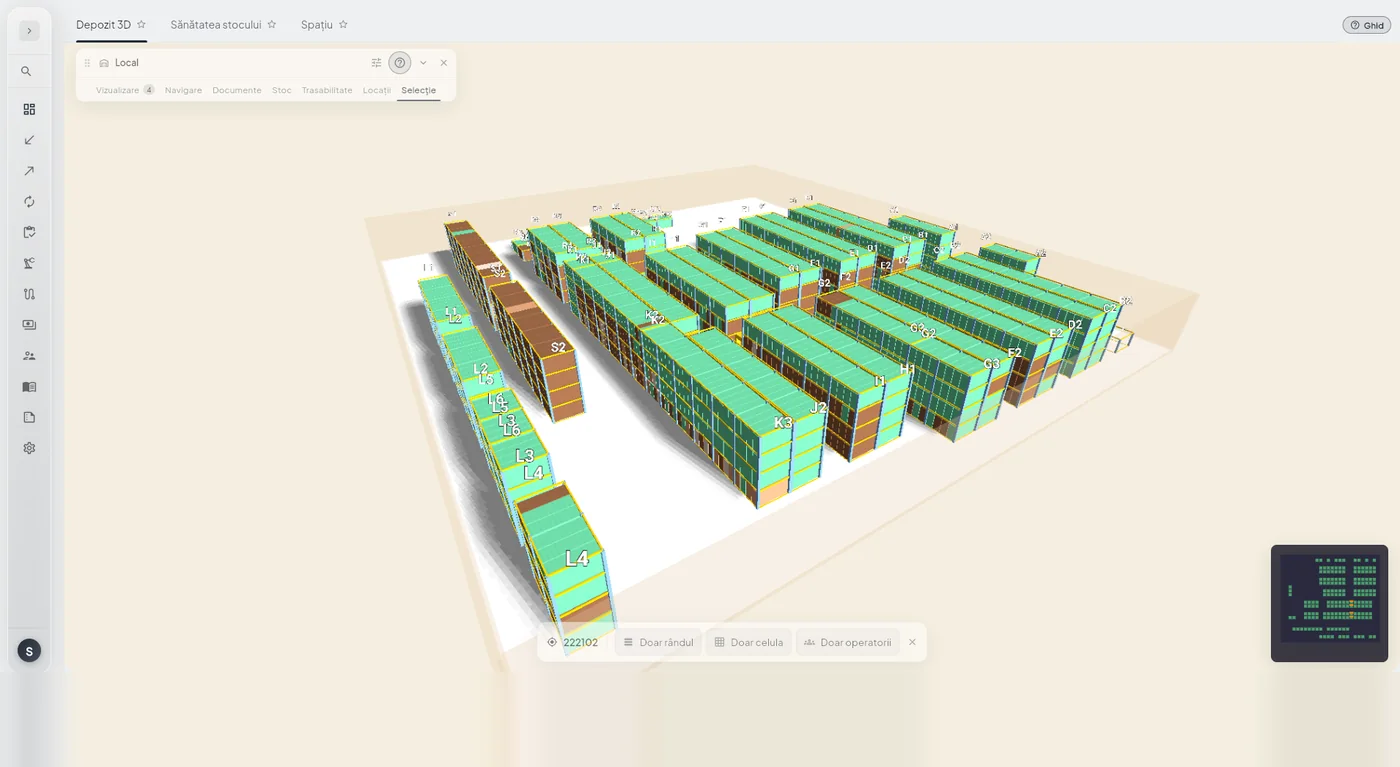
Your warehouse, drawn to scale: every zone, aisle, bay, level and location, exactly as they are in reality. Rotate it with your mouse and see at a glance where it is full, where it is empty and where goods have piled up and are not moving.
It is not a pretty mock-up. It is the same warehouse your operators work in: the same locations, the same codes, the same quantities.
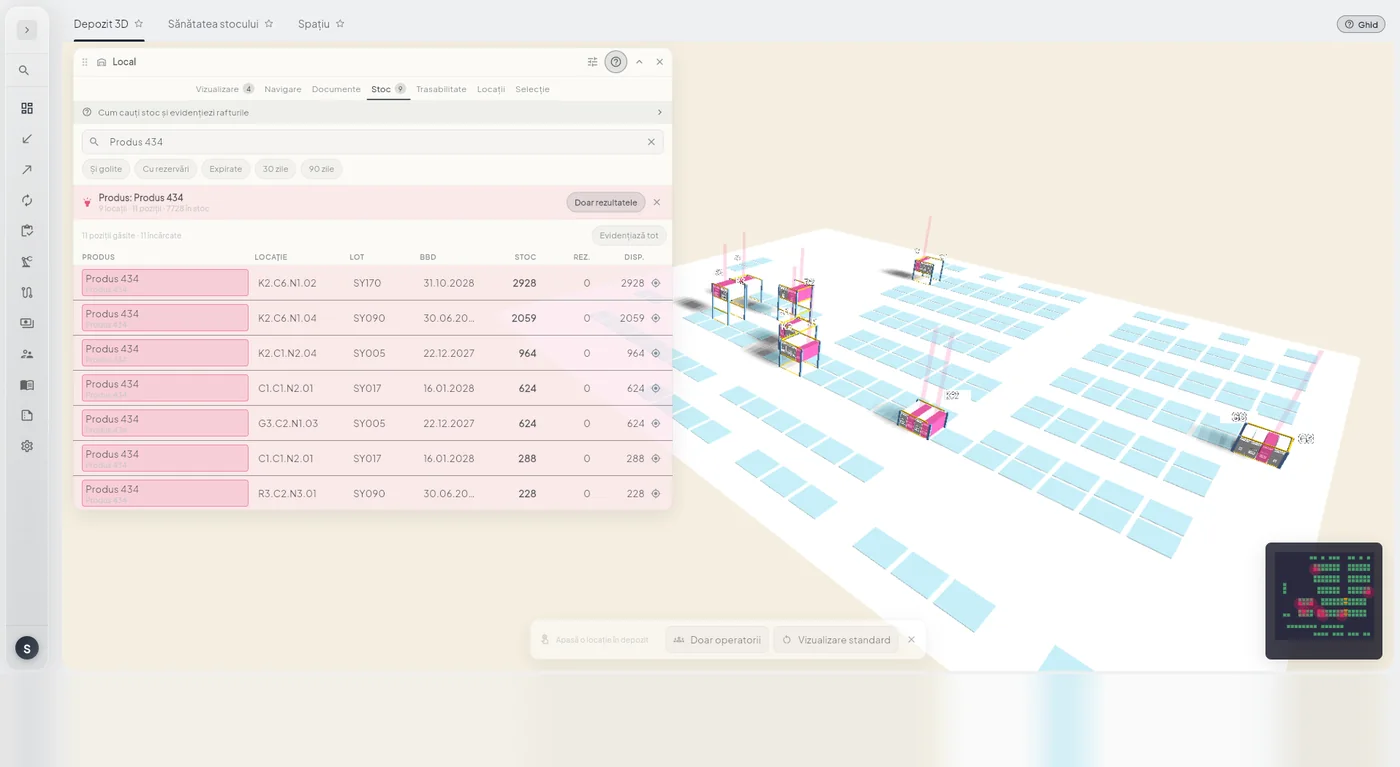
Pick a product and the warehouse lights up: you see right away how many locations it sits in and how much is in each. Stock scattered across ten locations is plain to see, without waiting for a report.
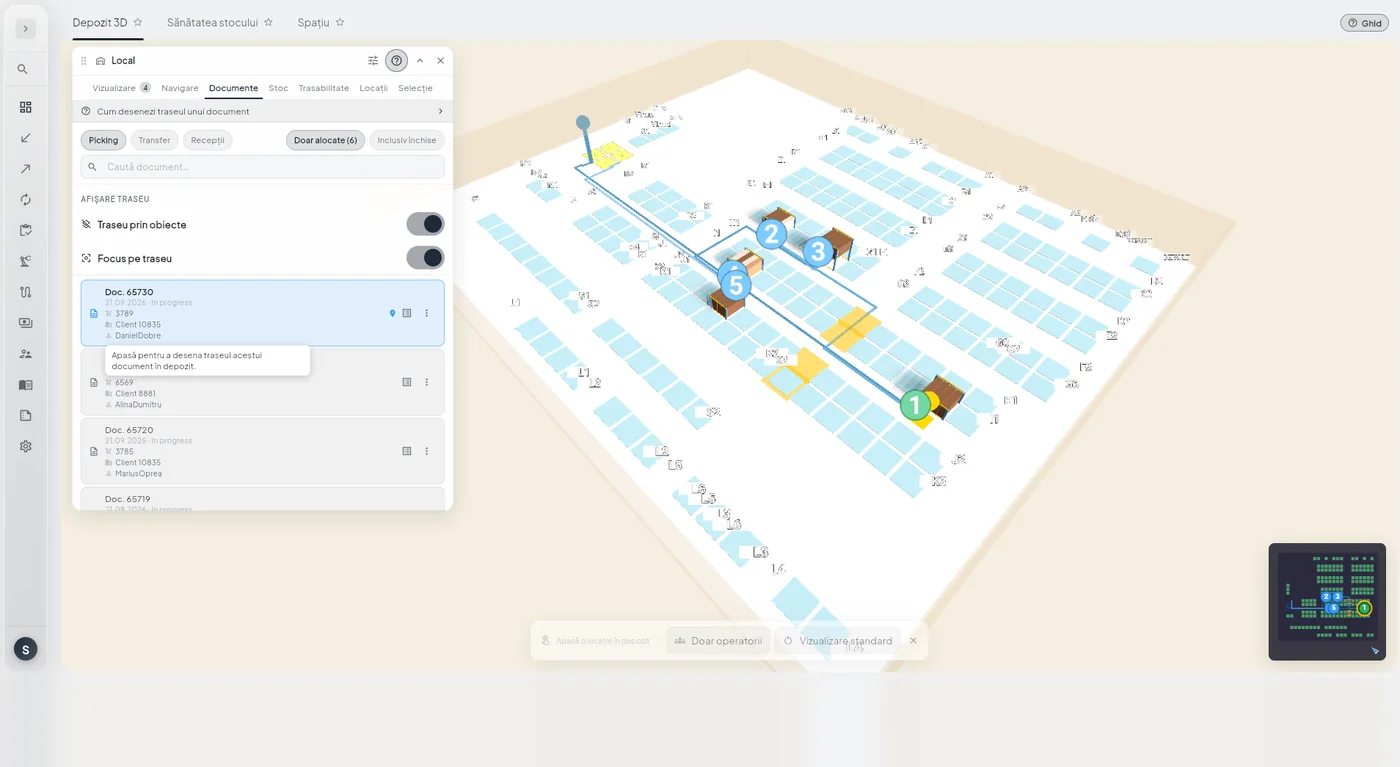
The path an operator walks for an order, drawn over the warehouse in the actual sequence of stops. You see why an order took a long time and whether the location of the goods was to blame.
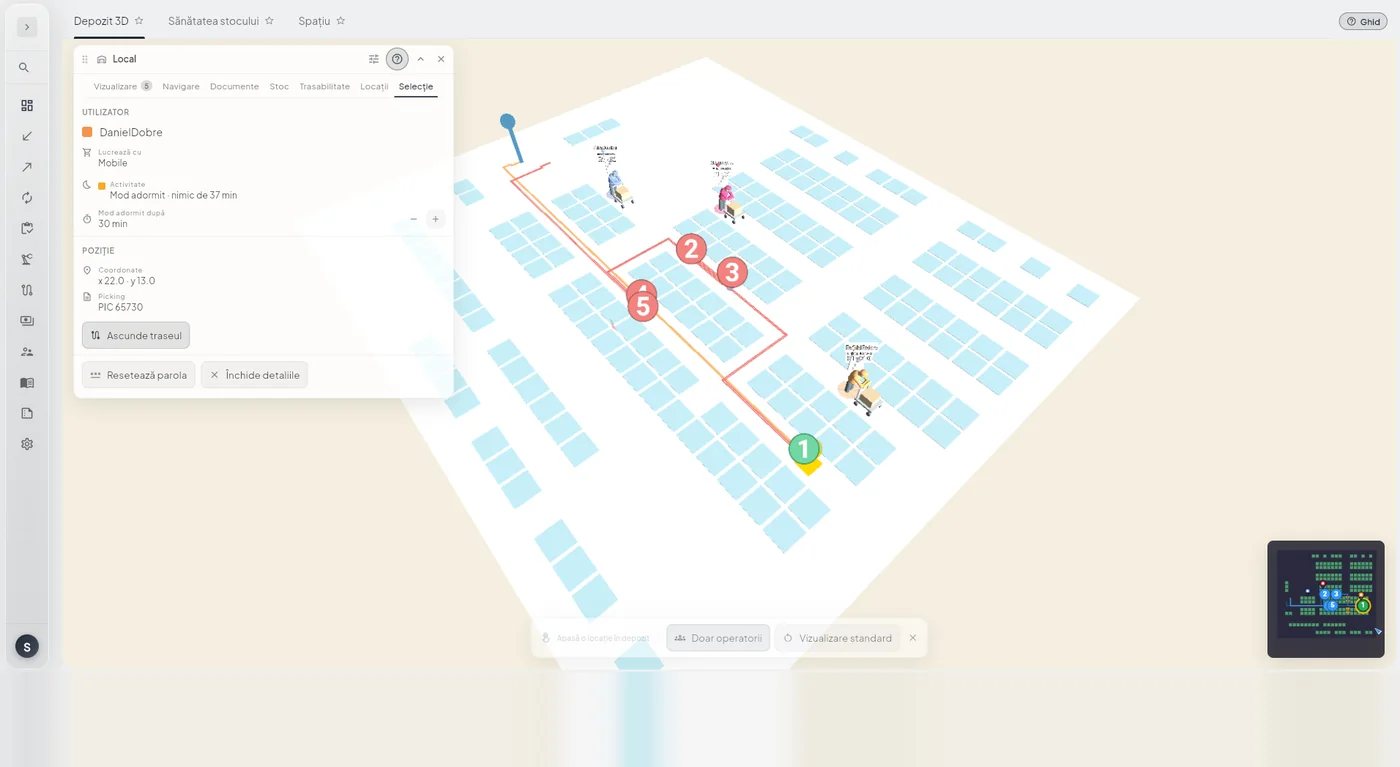
Who is working where, right now. Useful when you want to know whether a zone is covered, beyond the tasks that have been checked off.
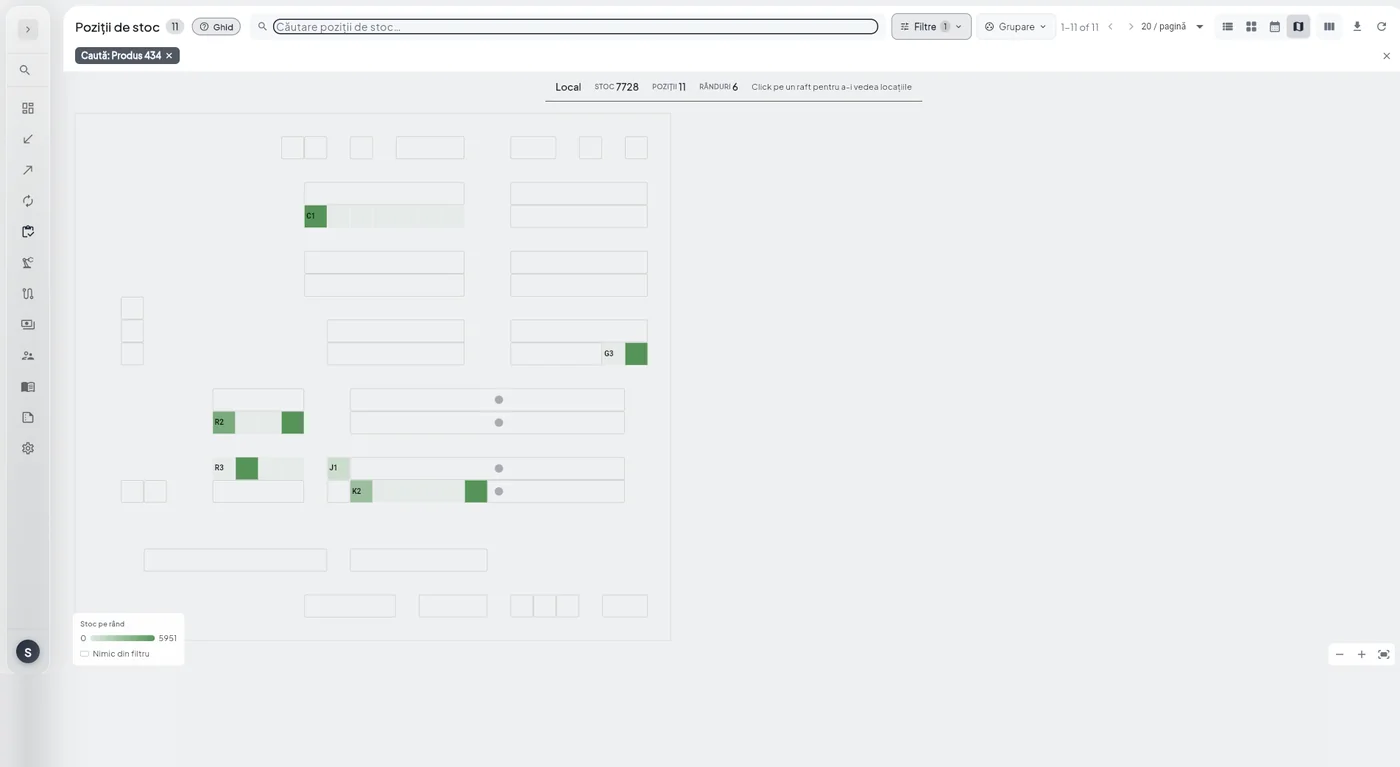
The same information, seen from above. Search for a product and the racks that hold it light up; click a rack and you see its locations, with quantities.
It is the map you open when you want an answer in two seconds, without rotating the 3D view.
A table tells you that product 436 sits in four locations. A map shows you that three of them are at the far end of the warehouse, and that is why picking takes so long.
The same difference shows up in planning: crowded zones, empty aisles and stuck stock are visible immediately, and any reorganization starts from what you see on the map.
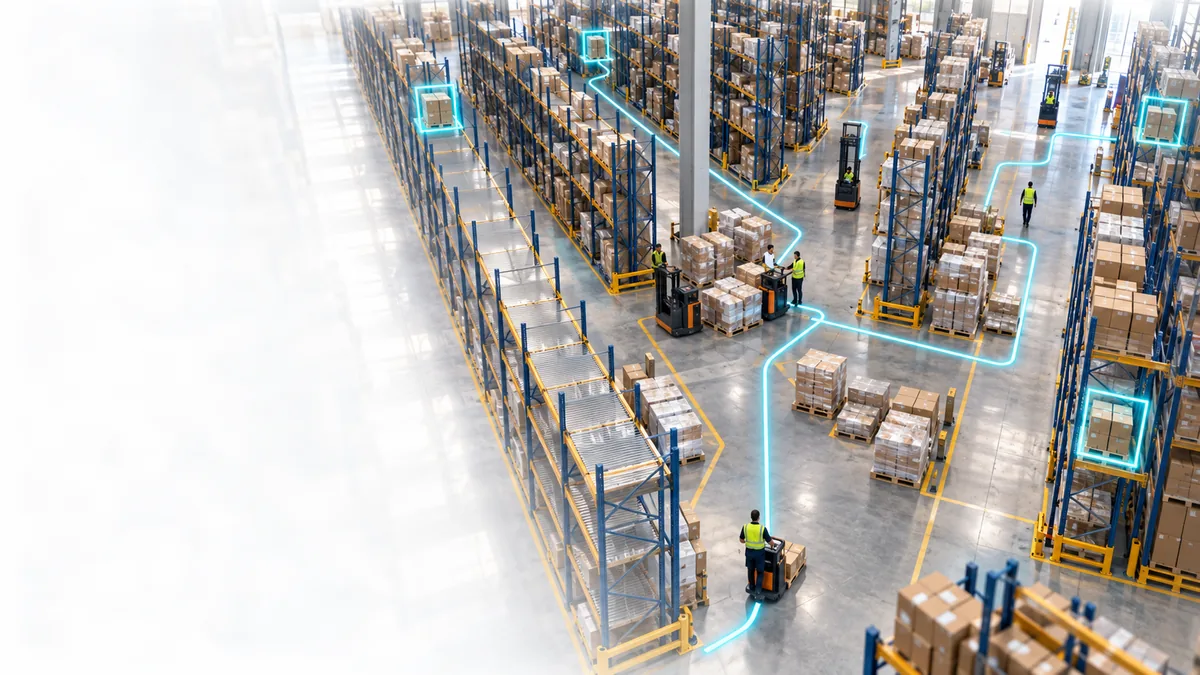
The numbers a warehouse manager needs, without having to ask anyone for them.
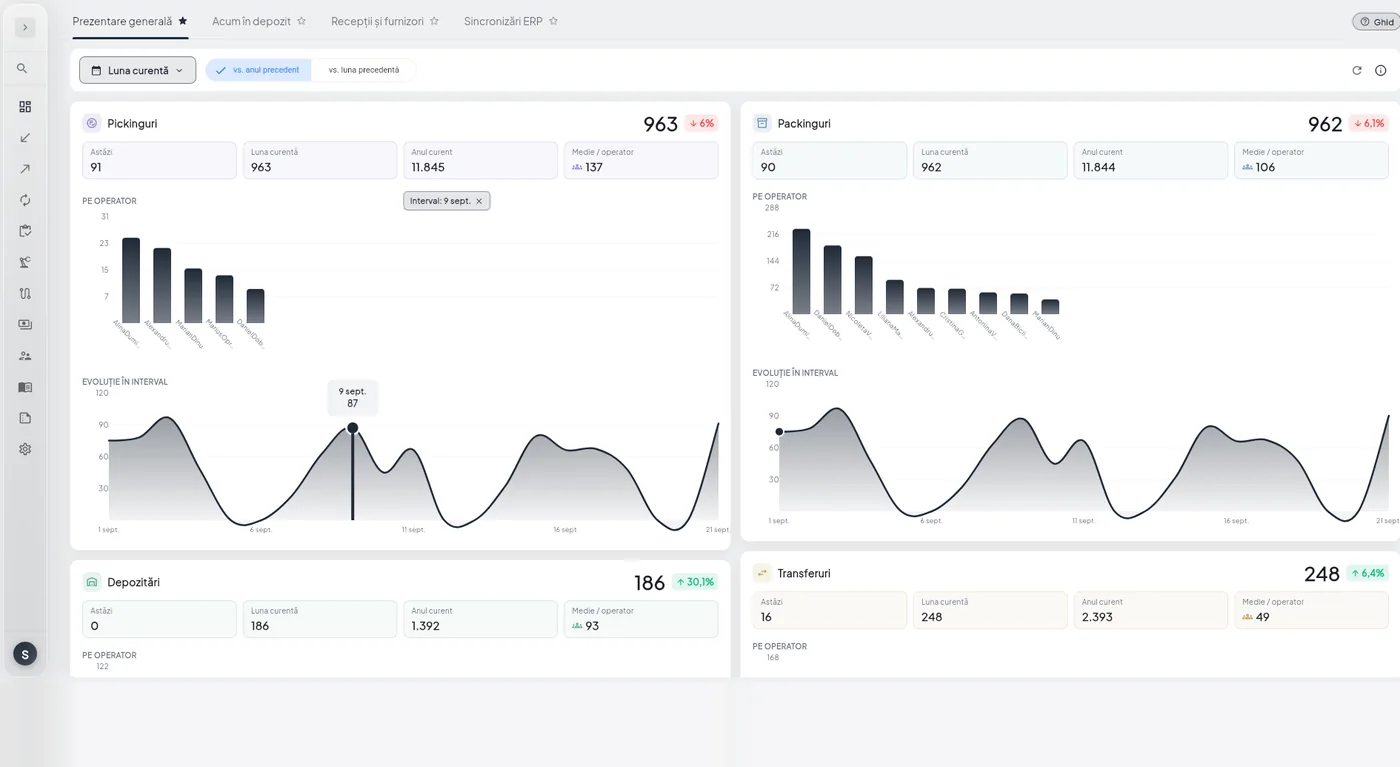
Picking, receiving, transfers and stock counts for the period you choose, compared with the previous period. Open it in the morning and you know whether yesterday was above or below your usual output.
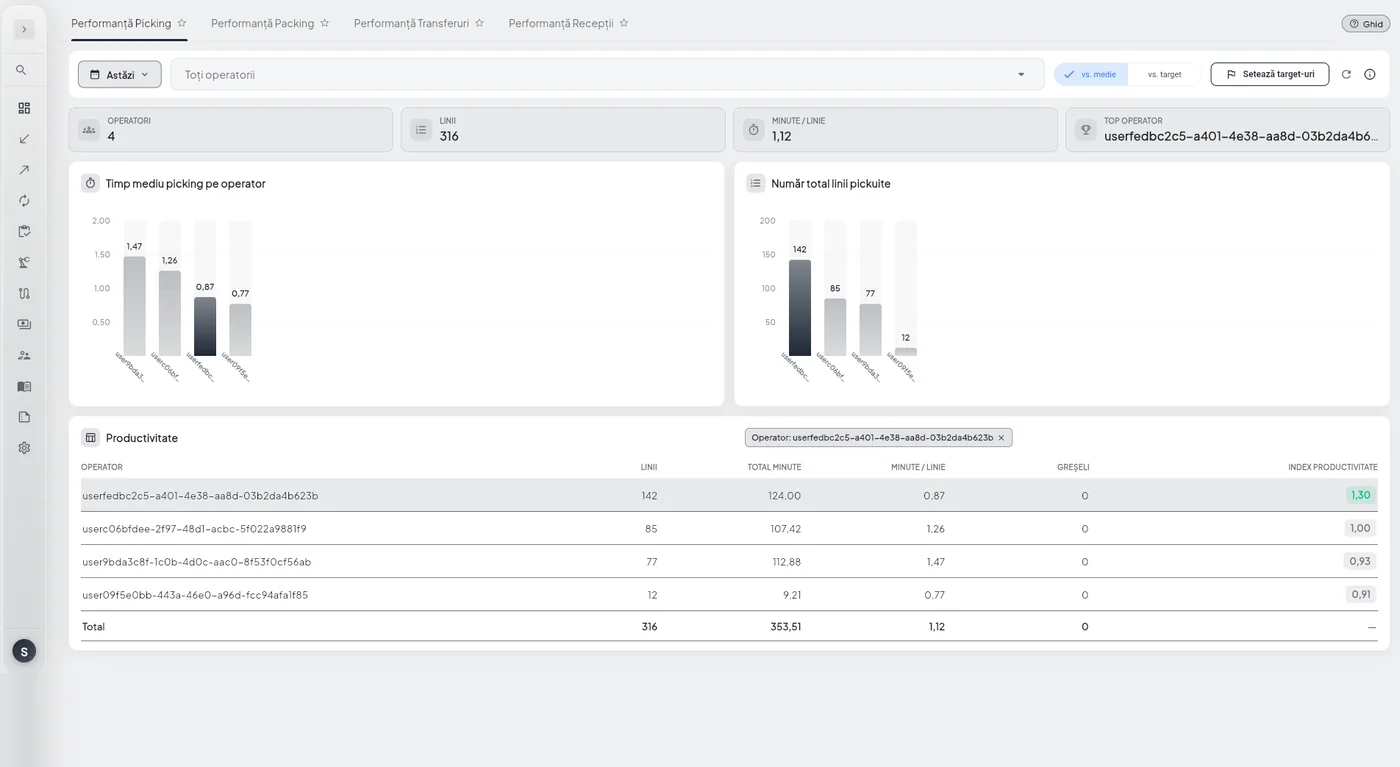
How much each operator picked, how fast and from which zones. The point is to see where time is lost: an operator who is slow in one particular zone usually points to a slotting problem.
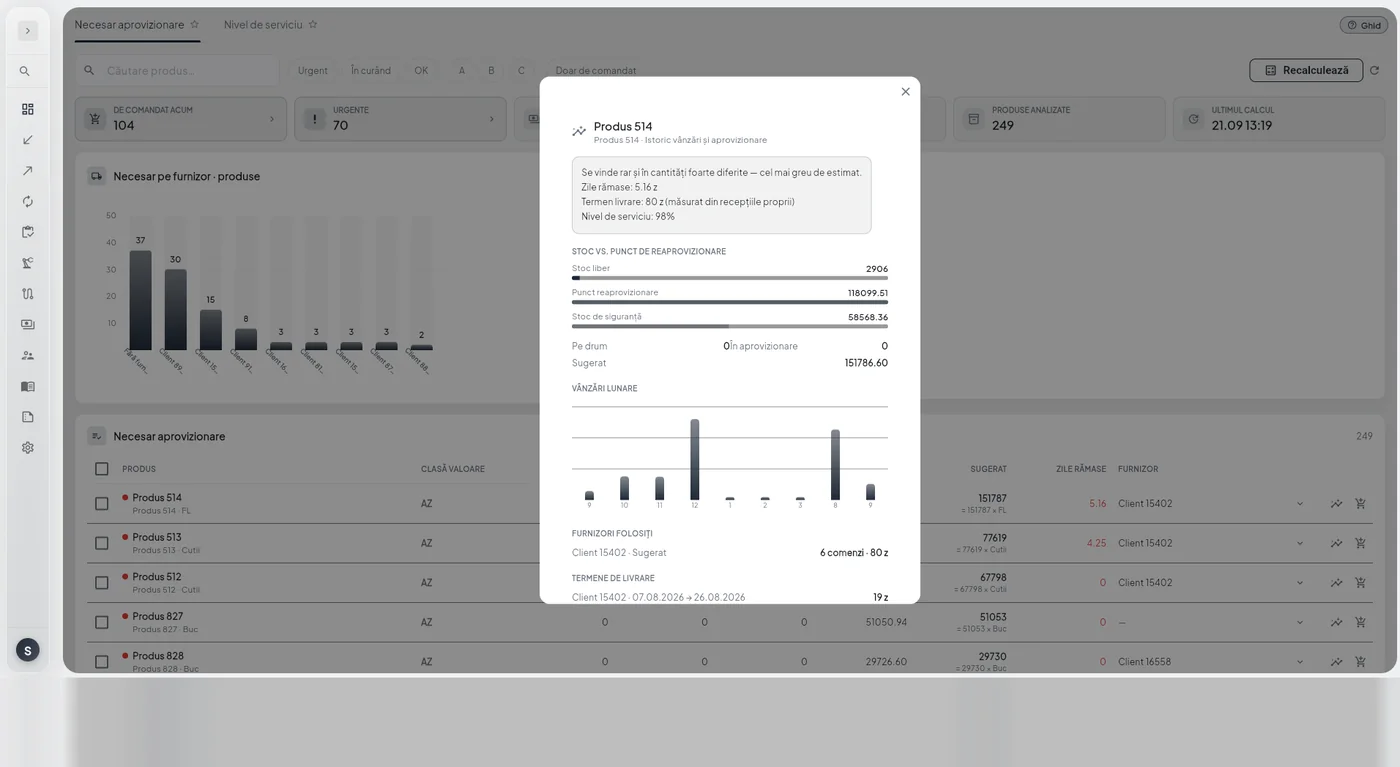
What needs ordering, calculated from actual sales and available stock rather than total stock. The suggestions go straight out as purchase orders, without anyone retyping them.
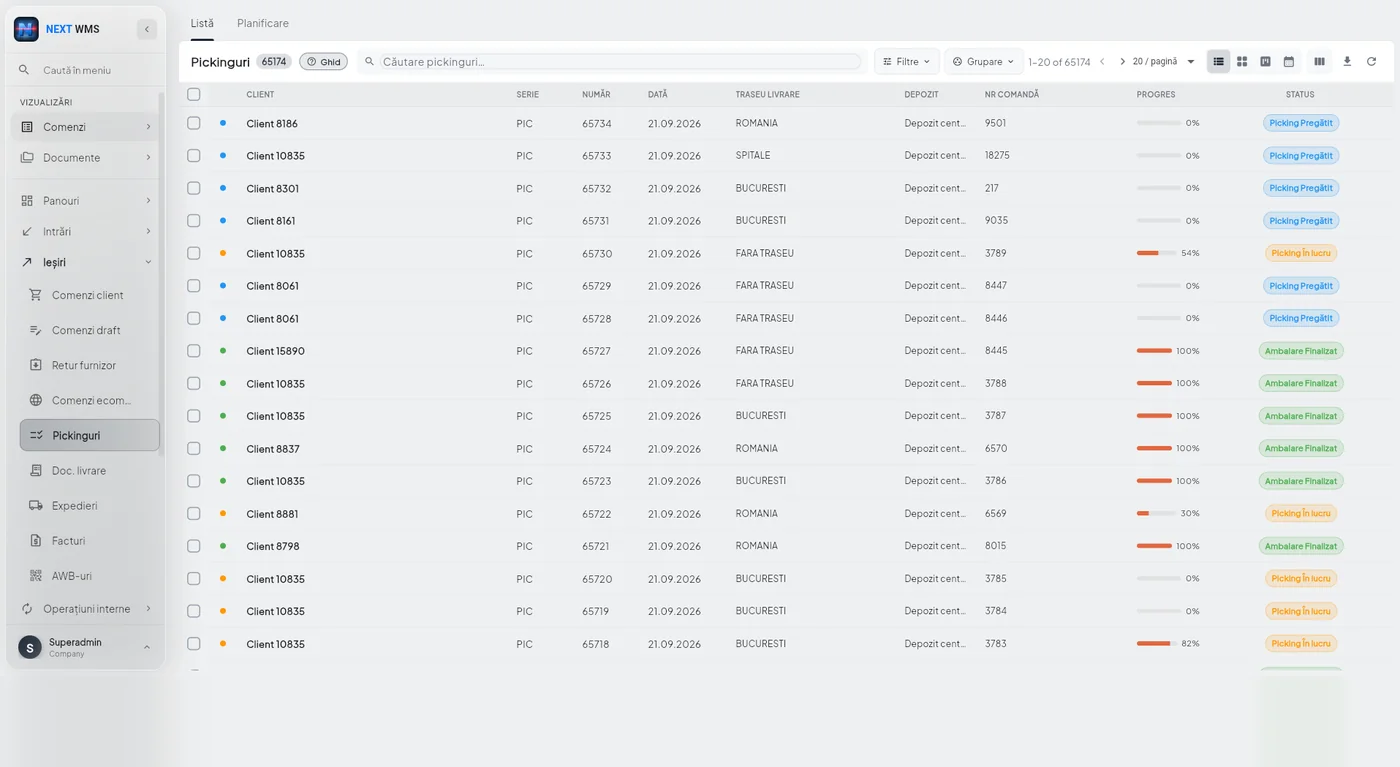
All outbound orders in one place, with customer, route, operator, progress and status. Filter by what matters to you and open the document right from here.
You choose the columns from more than twenty available, from the order series and number to the warehouse zone, user type and document barcode. What you see on screen exports exactly as it is, with nothing to rearrange in Excel.
Urgent orders are highlighted, and you can work on several at once from the list: assign them to an operator, or group them into a single shipment or a single package.
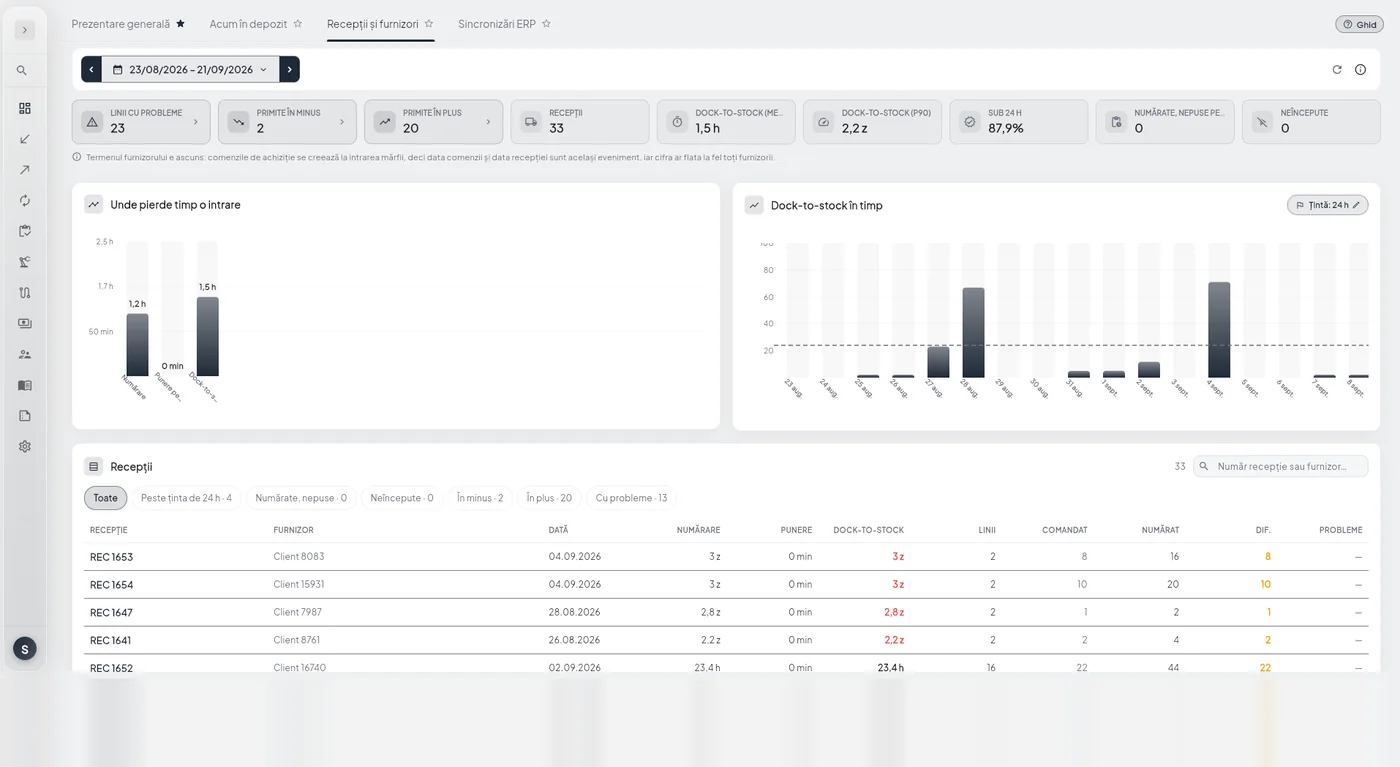
What has arrived, what is being counted now and what is waiting to be put away, in columns, so you spot the bottleneck before the supplier calls.
Each receipt shows its dock-to-stock time, the quantity ordered versus the quantity counted, and any overages or shortages. The filters at the top isolate exactly the cases that need a decision: those over the 24-hour target, those counted but not put away, those not started and those with issues.
This is also where you spot the supplier who keeps delivering something other than what was ordered, on the very day it happens.
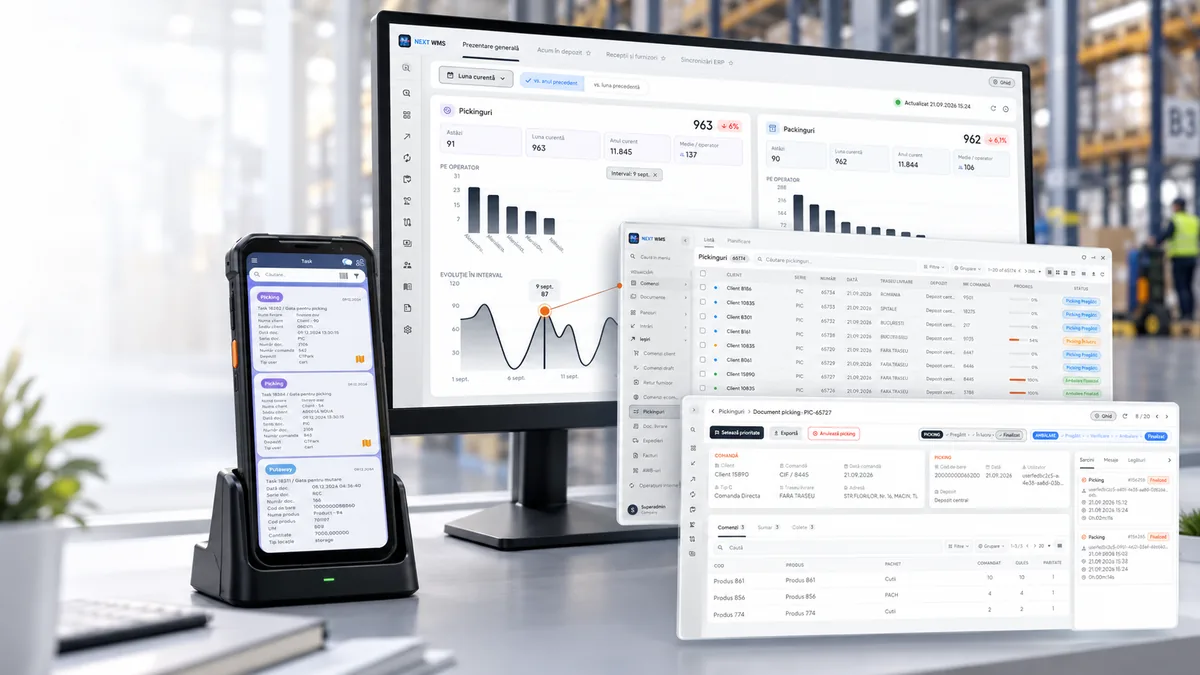
The dashboards show what happened up to a minute ago, not a snapshot from last night. Choose the period, compare it with last month or last year, and see the same numbers your operators see in their app.
Every number can be drilled into: from the chart to the list of documents, and from the list to the document itself.
What you have, how long you have had it, what it is worth and where it has been.
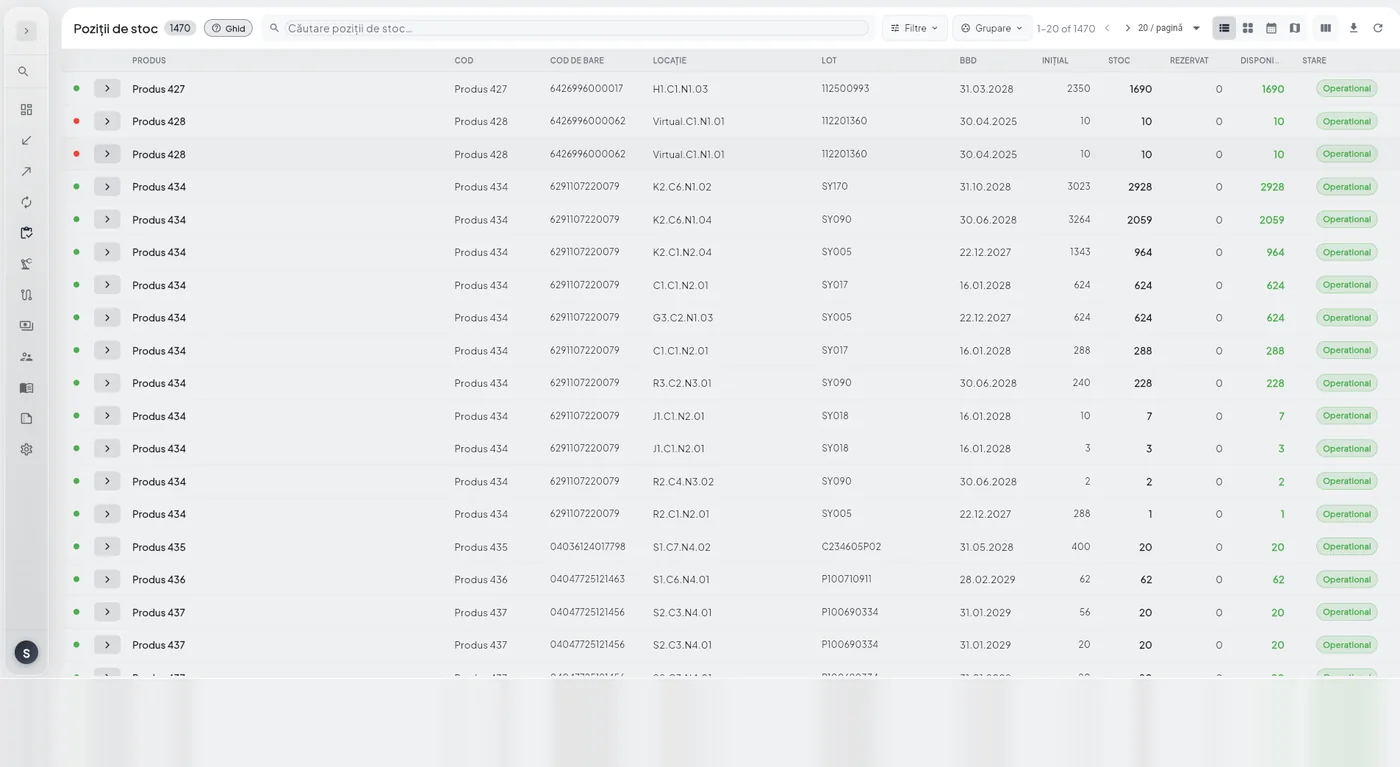
Stock by product, batch, location and warehouse, showing what is available and what is already reserved for orders. Columns can be chosen and rearranged, and what you see on screen exports exactly as it is.
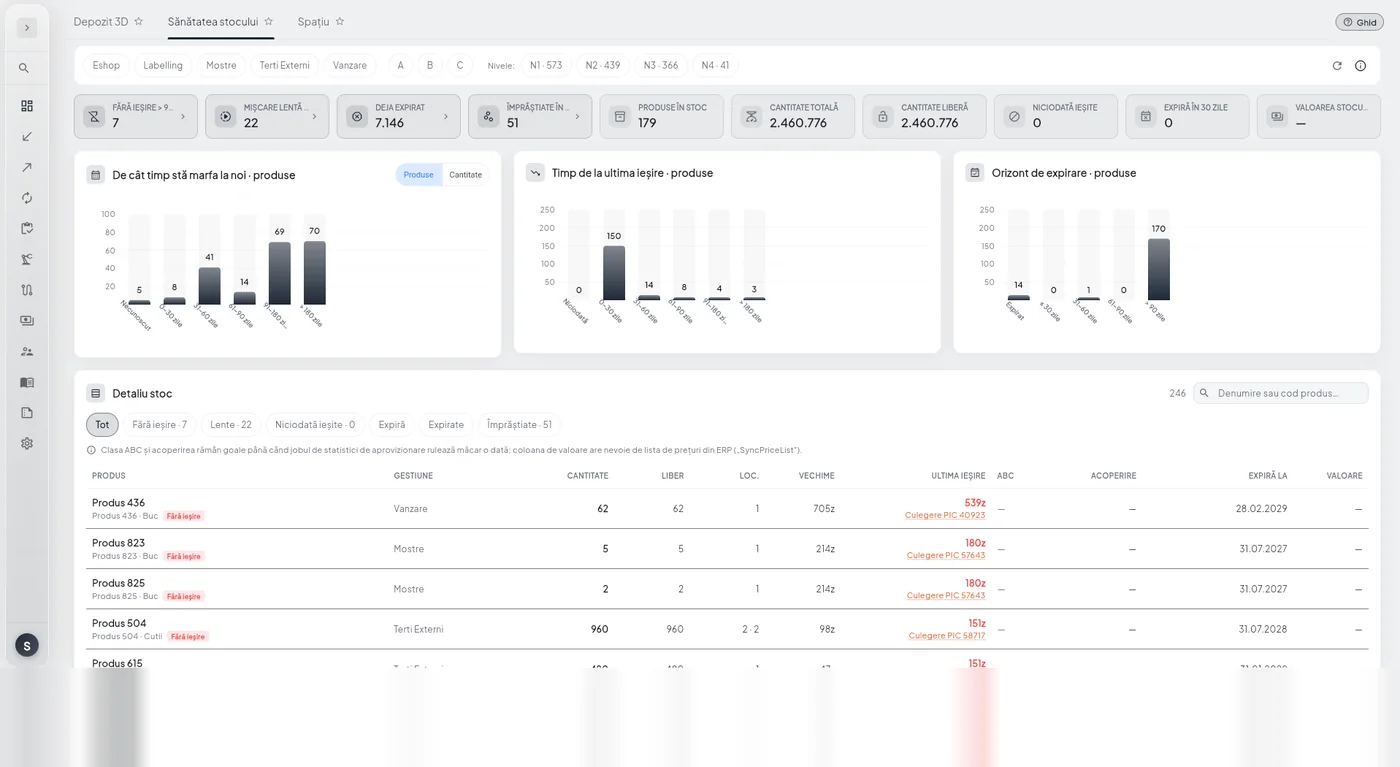
The dashboard that answers the expensive question: which stock is just sitting there. Products with no outbound movement, slow movers, products that have never been picked and products scattered across too many locations.
Each one shows its age, the date it last went out and the value tied up in it, so any conversation about clearance or discounts starts from numbers.
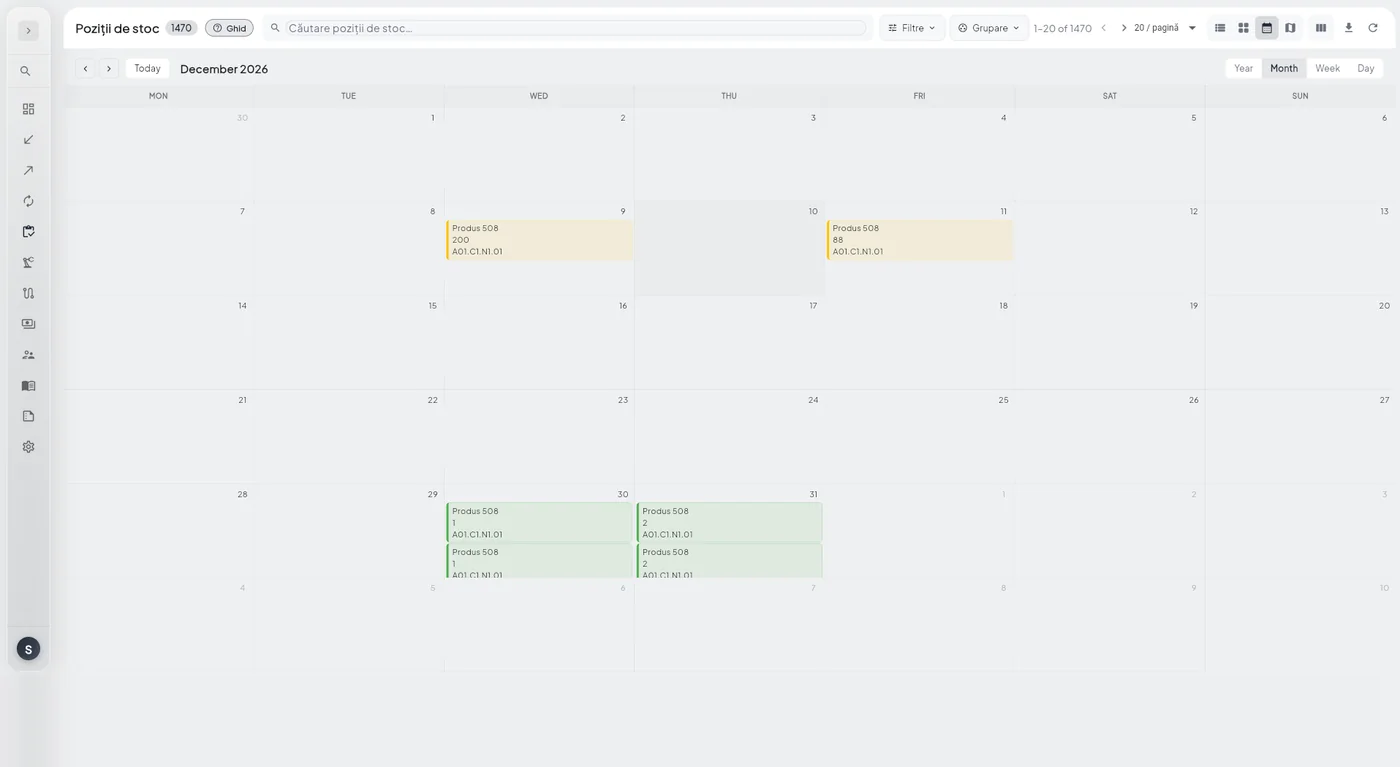
Expiry dates laid out on a calendar: see what expires this week, this month and three months from now, by batch and by location.
Shipping automatically uses the batch that expires first, so the calendar is for the decisions you make: what to promote, what to return, what to stop ordering.
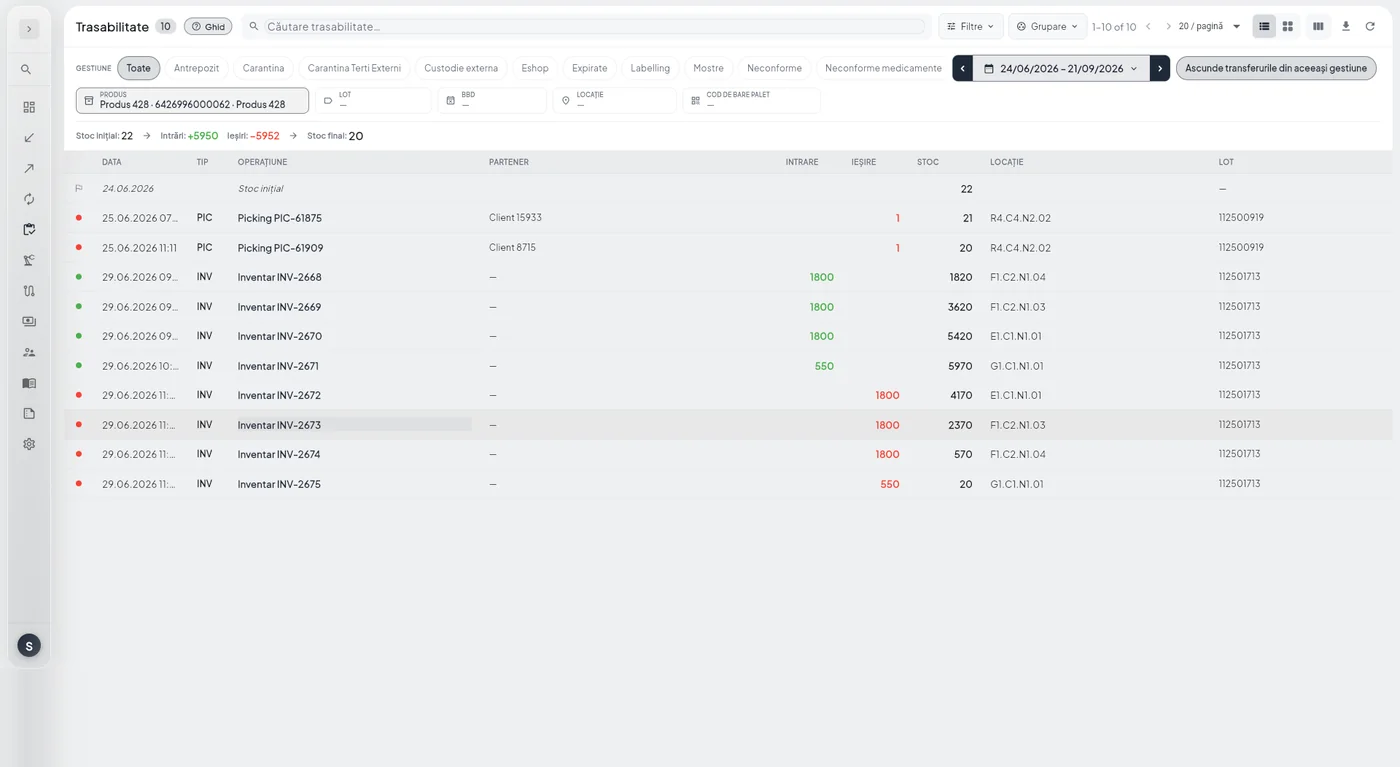
For any product and any period: the opening balance, every inbound and outbound movement with its document, and the closing balance. Each line shows the date, operation, partner, location and batch.
When someone asks “where did these goods end up?”, the answer is on a single screen.
Stock that does not move takes up space, ties up cash and, if it has an expiry date, turns into a loss on a date you know in advance.
That is why stock health and the expiry calendar are designed as screens you open every week.
Receiving, picking and transfers, with clear statuses and documents that link to each other.
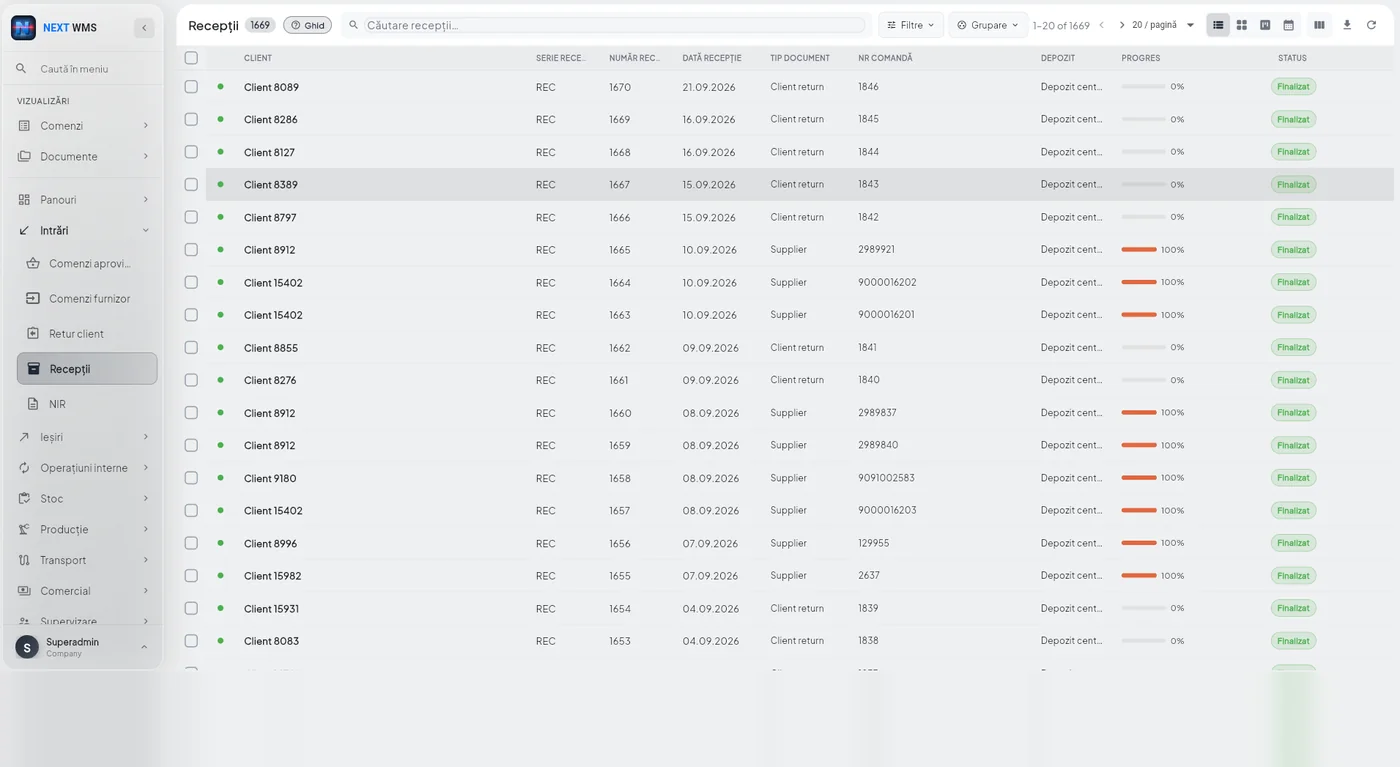
Receiving is structured in two stages, and that split stops errors from spreading further down the line.
First: counting the goods and building pallets. This is where discrepancies against the order are resolved and goods are prepared to warehouse standards, before they go anywhere they would later have to be searched for.
Second, putaway: the system suggests a location based on how important the product is and how far the location is from the shipping points. You can add your own rules on top: location priority by product type, stock rotation, or specifications such as size, weight and temperature.
The two-step approach optimizes storage space and speeds up everything that follows: order picking and stock counts start from goods that are already where they belong.
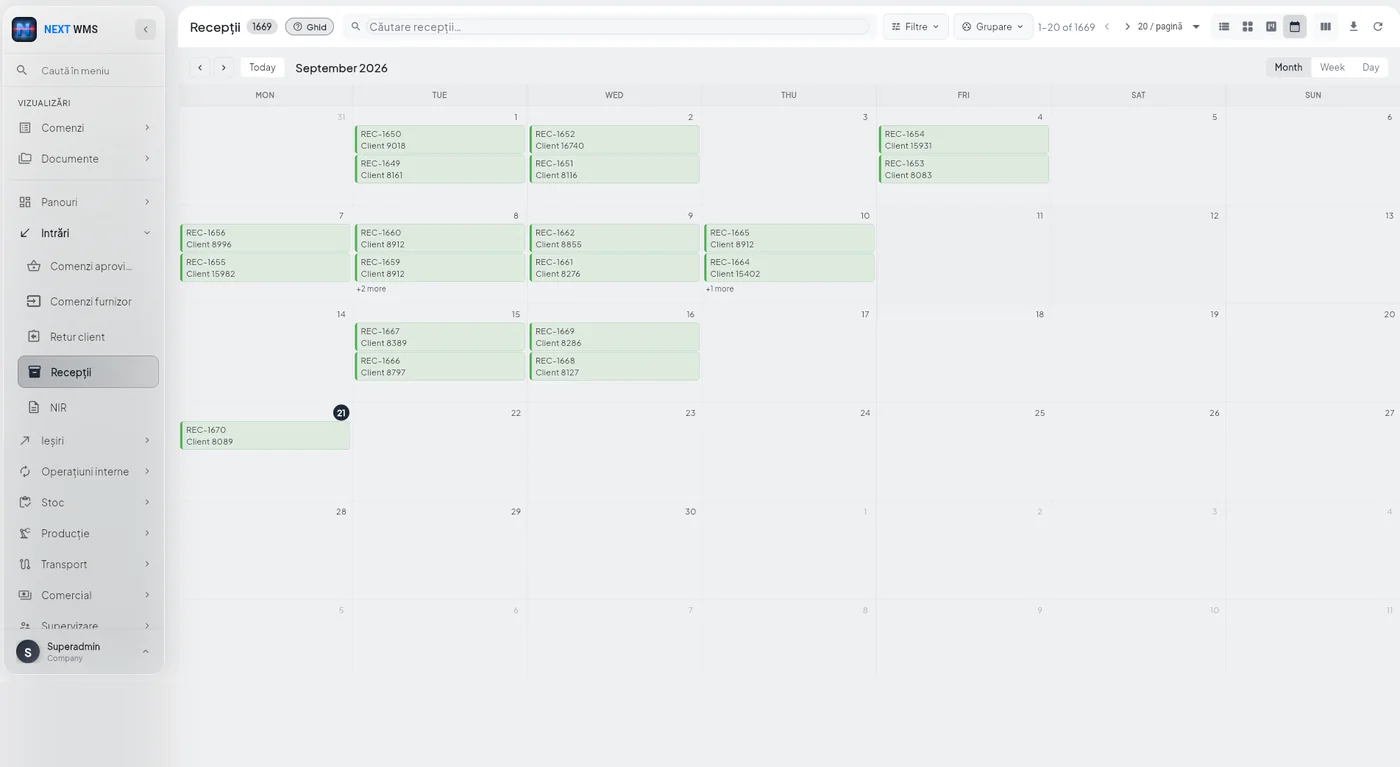
What is arriving and when, by day and by week. The dock and the team are planned around scheduled deliveries.
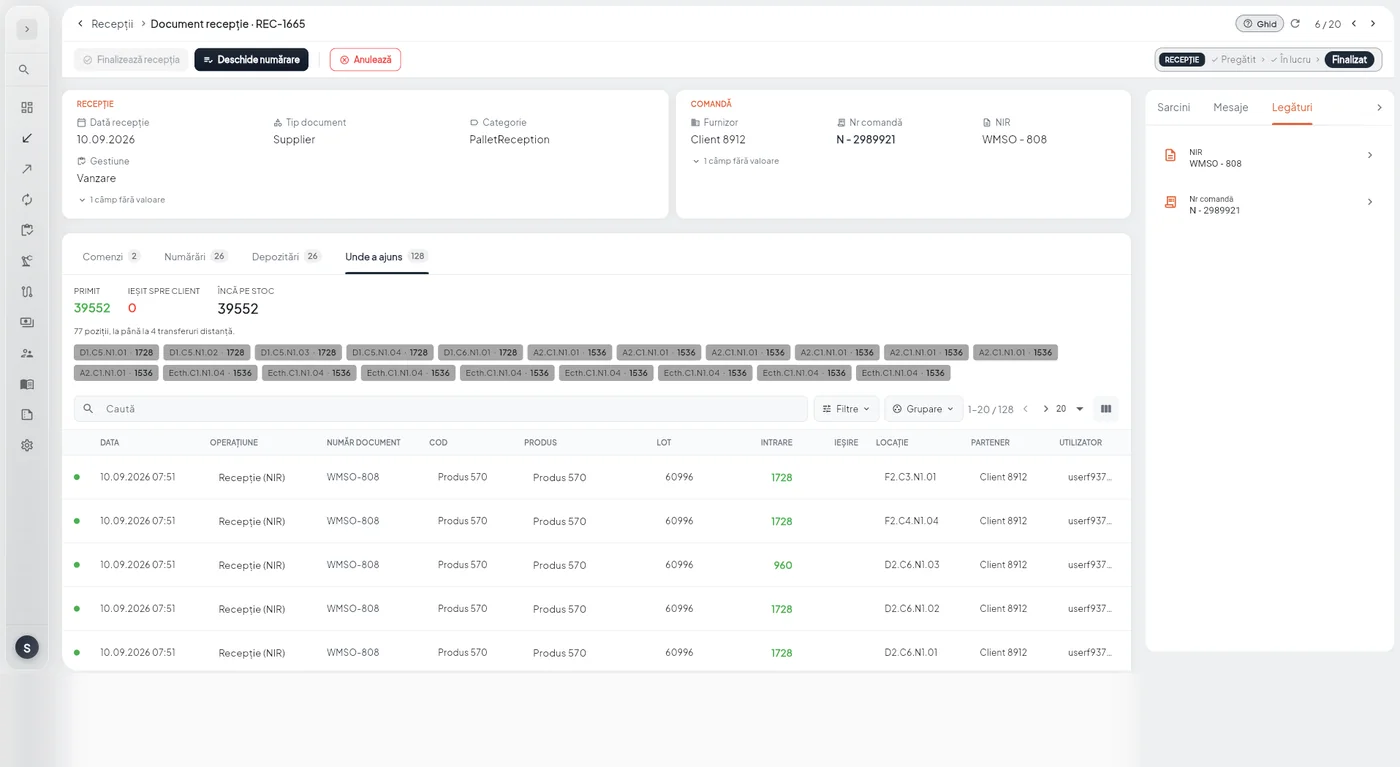
For every product in a receipt: what was ordered, what was counted, which batch came in and which location it went to. Discrepancies show up on the spot, not at the stock count three months later.
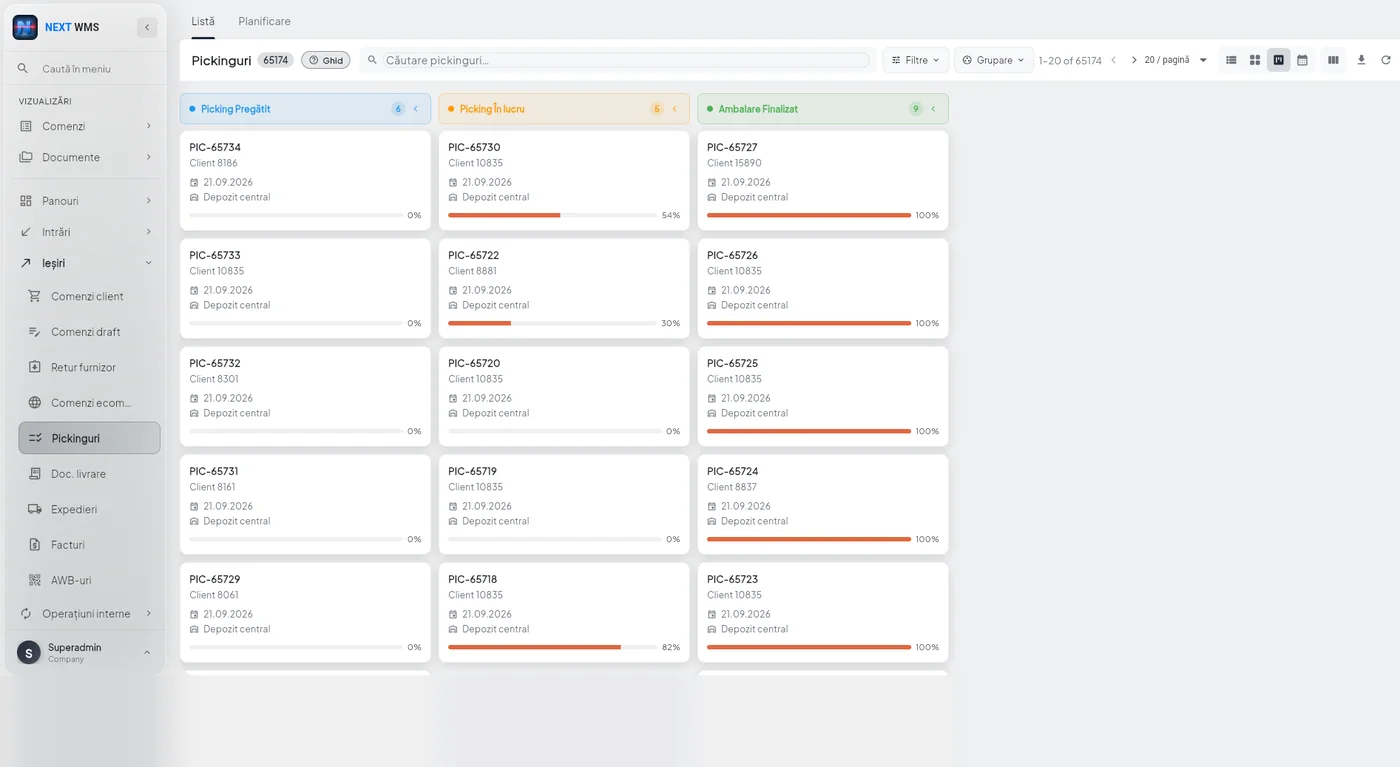
Outbound orders in status columns: ready, in progress, checked, packed, loaded, delivered. Nobody sets the status by hand: it changes on its own as the operator scans.
Orders are prioritized and processed by criteria (urgency, location and volume) rather than the sequence in which they arrived. That way you ship accurately and on time, whether a hundred small orders come in or one very large one.
Stock allocation is dynamic: first in, first out (FIFO) for proper stock rotation, first expired, first out (FEFO) for products with an expiry date, plus stock reserved for specific customers and a minimum level the system never goes below.
Tasks are split automatically by equipment type: operators with carts get different work from forklift operators, depending on order complexity and the size of the goods.
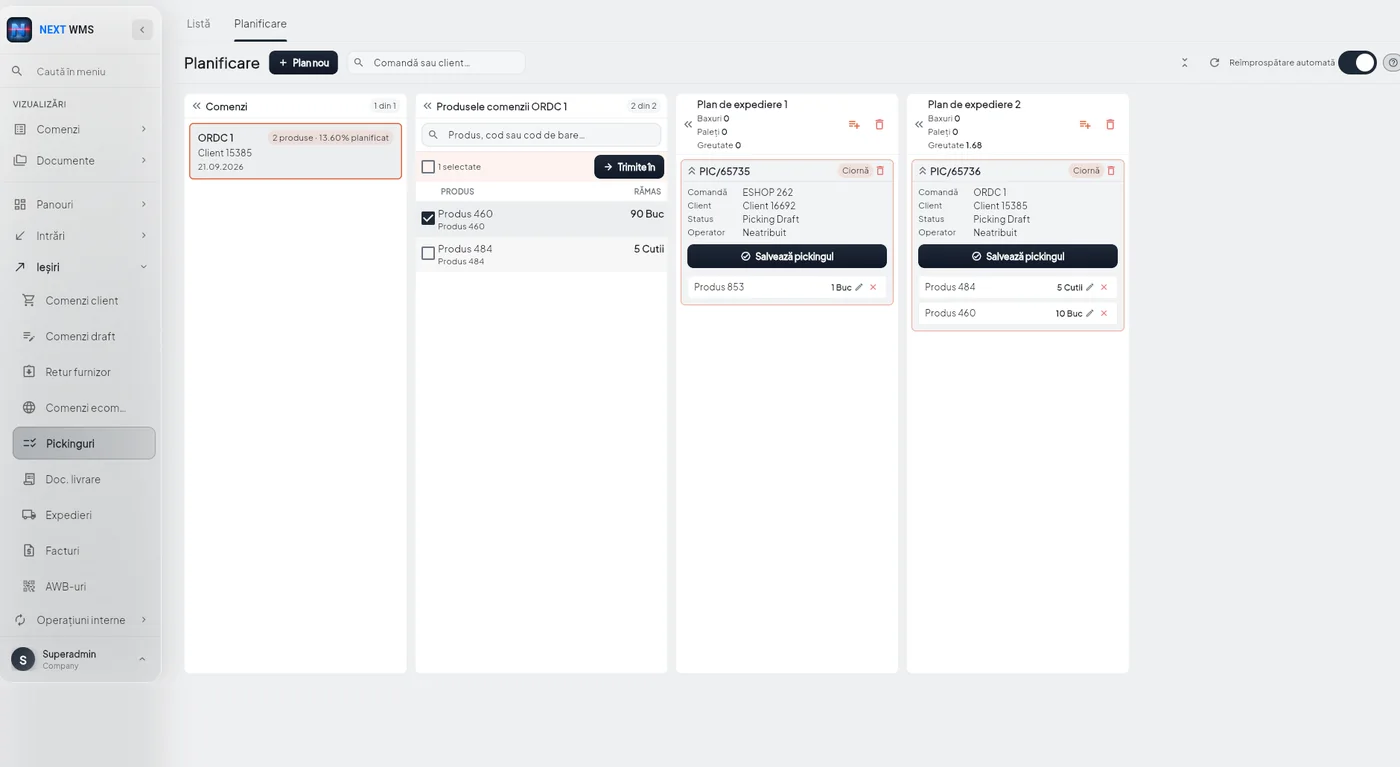
Orders laid out on a calendar and assigned to teams, so daily peaks are visible before they happen.
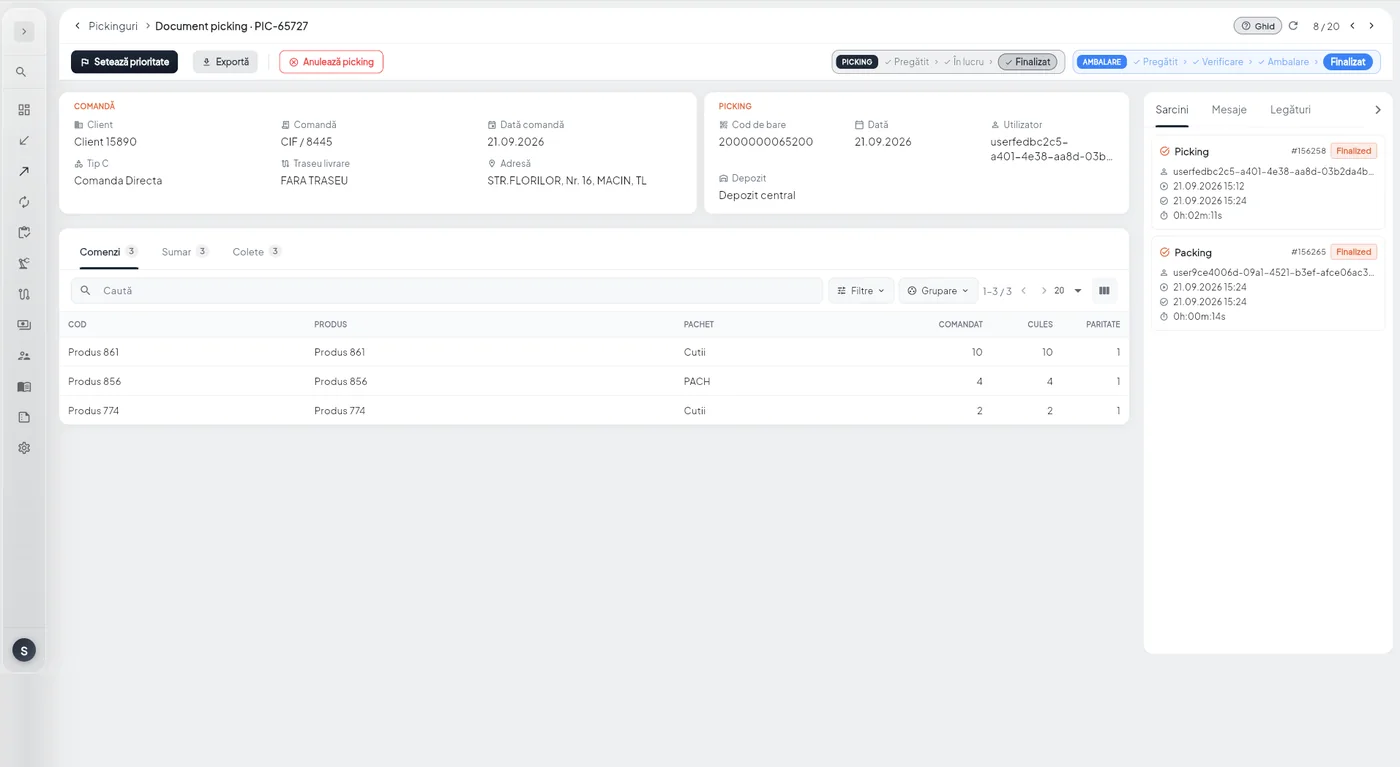
Nothing in a warehouse stands alone: an order leads to picking, picking to packing, packing to loading, loading to transport, and at the end there is an invoice.
From any document you can reach any of the others in one click, and the way back stays visible. That is the difference between having the data and being able to follow it.
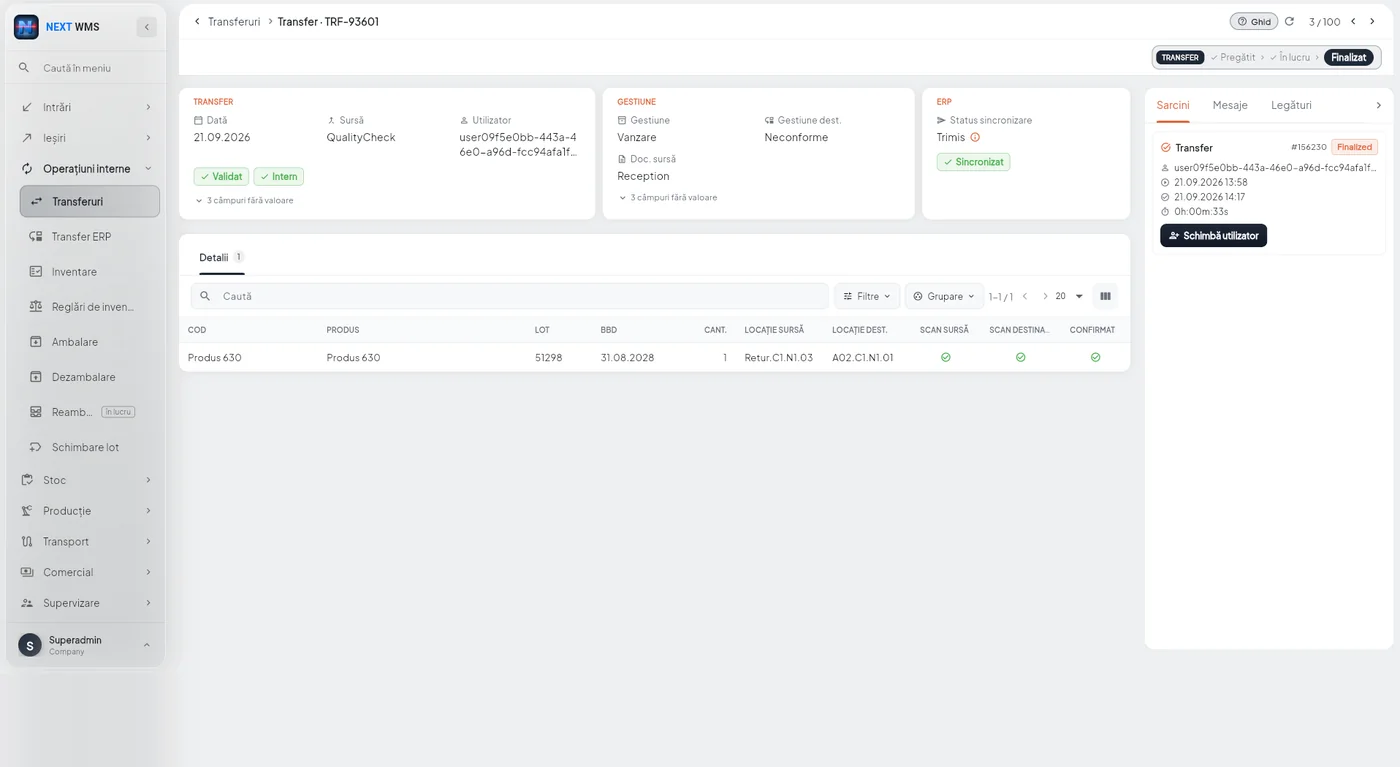
Moves between warehouses and locations, with an approval flow where it matters: quantity sign-off by a manager, product priorities, per-user limits.
Replenishment transfers are created automatically, so picking zones do not run empty in the middle of an order.
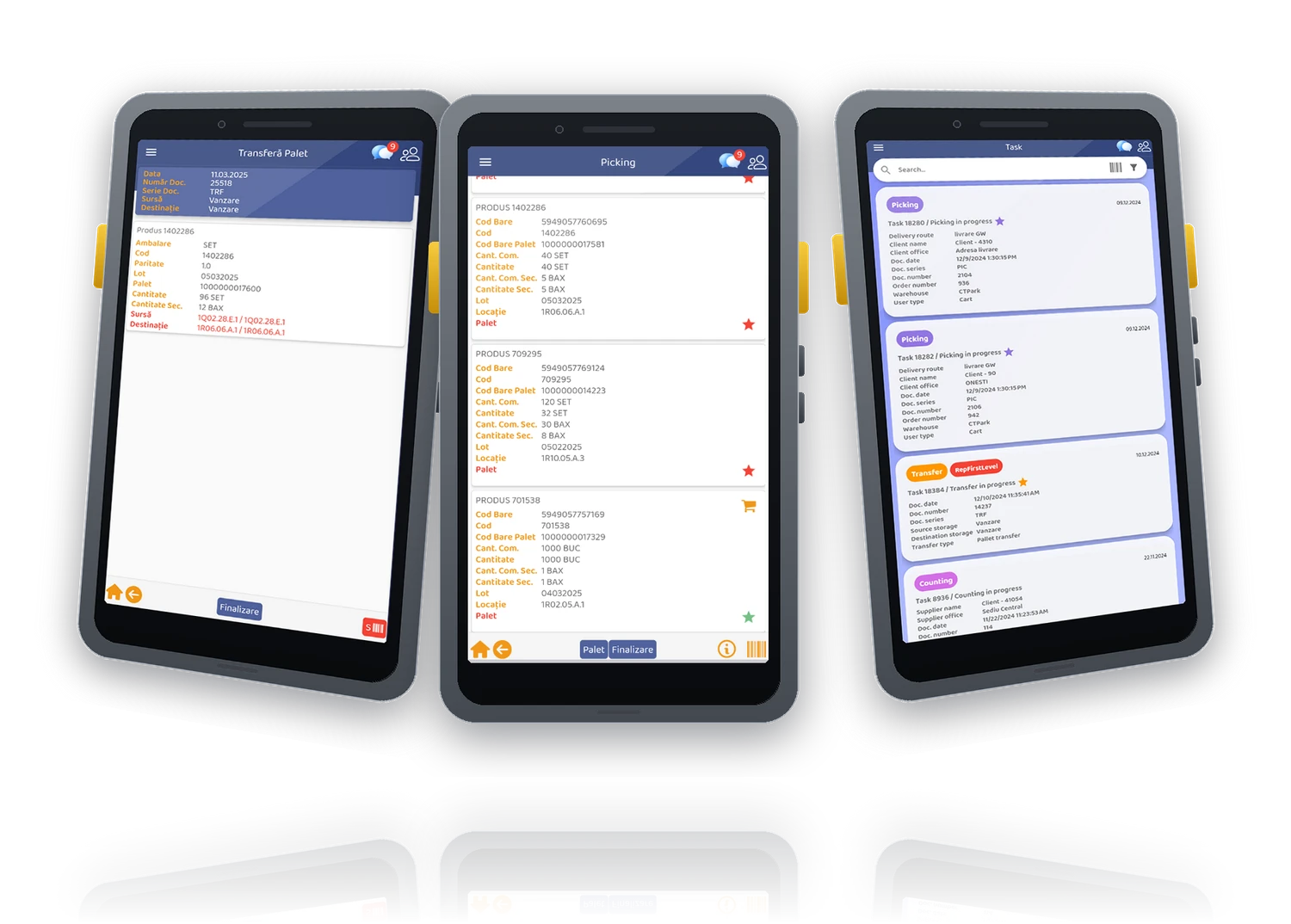
An app for the Android handheld terminals in your warehouse. The interface is built for busy hands and scanners: few steps, big buttons, confirmation by scan.
The operator gets the task, does it and confirms. Receiving, moves, stock counts, picking and loading all report to the same place the manager is watching.
From assigning orders to vehicles to the final pallet scan, loading is managed digitally. You see the status of every order and track each pallet by destination, customer or route.
Planning works by drag & drop, with automatic checks against vehicle capacity. Every change is reflected immediately in the operators' tasks, so nobody ends up loading an order that has been moved to another truck.
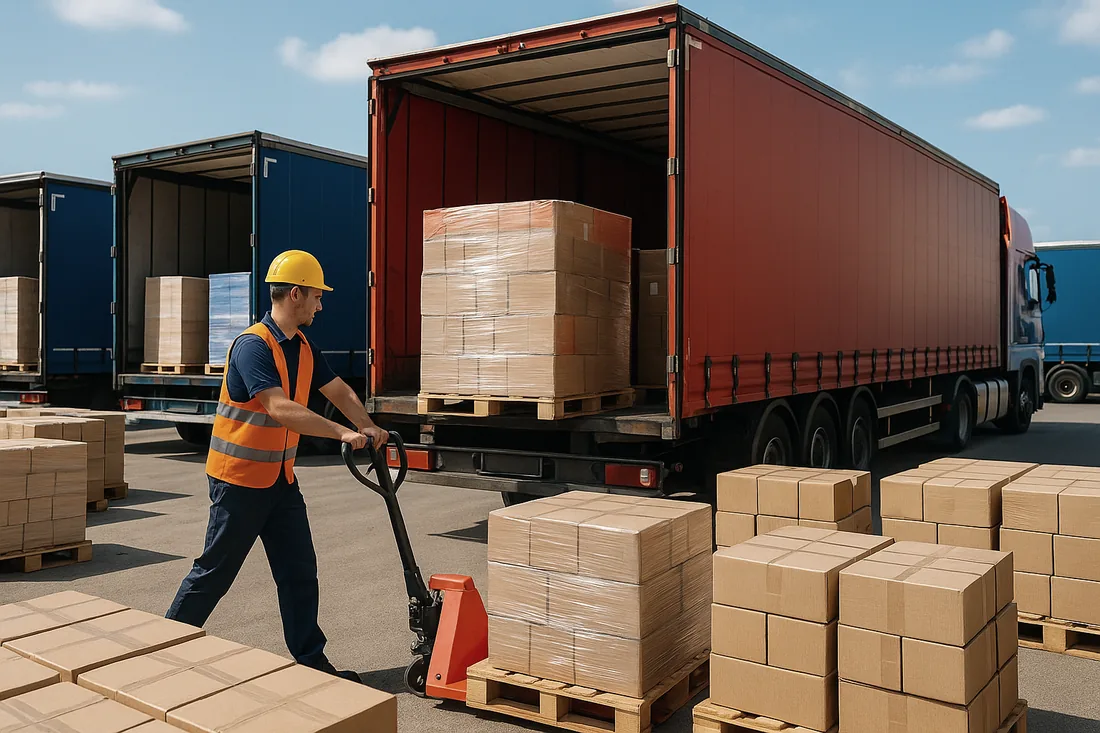
NEXT WMS is sold with a perpetual license, installed on your premises or hosted.
We start from the way your warehouse works today.
Zones, putaway rules, task types and permissions, configured around your processes.
The system goes into your warehouse, with the data and documents you already have.
Every flow is checked under real conditions, before it counts.
Ongoing training, monthly if needed, as your business grows or new people join.
We handle the launch, safely and without stopping your operations.
Support in the first stages after go-live, when the real questions come up.
The quality of the system is only part of the equation. The other part is how it is implemented.
Cloud infrastructure, guaranteed backup and hardware maintenance, new versions with no action needed from your operators.
Issues are detected and resolved, with real-time support.
The product keeps evolving, so you get the latest innovations in the industry.
Optimized delivery speed and precise inventory management, which means less processing time and fewer losses.
No errors, near-zero returns and custom labeling.
Logistics innovations in the warehouse lead to better-organized goods.

NEXT WMS adapts to the specific needs of your business. We start with a detailed analysis, then adjust the configuration so the system improves the processes you already have instead of replacing them.
There is also an annual maintenance package, by subscription: development and customization to fit your needs, version upgrades and operational support.
We are in good company.









We show you NEXT WMS running your own warehouse processes, not a generic demo.