Email is still one of the main communication channels in B2B. Even though we increasingly talk over WhatsApp, Teams or other platforms, quotes, partnership proposals, requests for quotation, orders and plenty of other documents still land in the inbox. Even invoices, which Romanian companies now send automatically through ANAF's SPV portal as part of their tax obligations, are still often shared or discussed by email.
So if a large part of your customer interactions happens over email, a simple question follows: why keep the information in email separate from the information in your CRM?
Where should customer information live?
In a company where the CRM and email are not integrated, customer information tends to get fragmented. One colleague receives a request by email, another discusses the quote over the phone, and the history of the relationship sits partly in the CRM. If the person who manages the account is away, colleagues have to dig through an inbox to understand what was discussed.
Integrating the CRM with email changes that. Relevant messages can be archived directly in the CRM, so the correspondence becomes part of the customer's history. It is no longer just an email sitting in one person's inbox, but information available in the context of the customer's entire file.
For the sales team, this means less time lost looking for information and more context when a decision has to be made.
The CAS CRM and Outlook integration
A good example is CAS Software and its CRM software, CAS genesisWorld, which Next iSolutions has been implementing in Romania for several years. CAS genesisWorld comes with a dedicated add-in for Microsoft Outlook, designed to bring CRM functions into the place where users already manage their email and calendar.
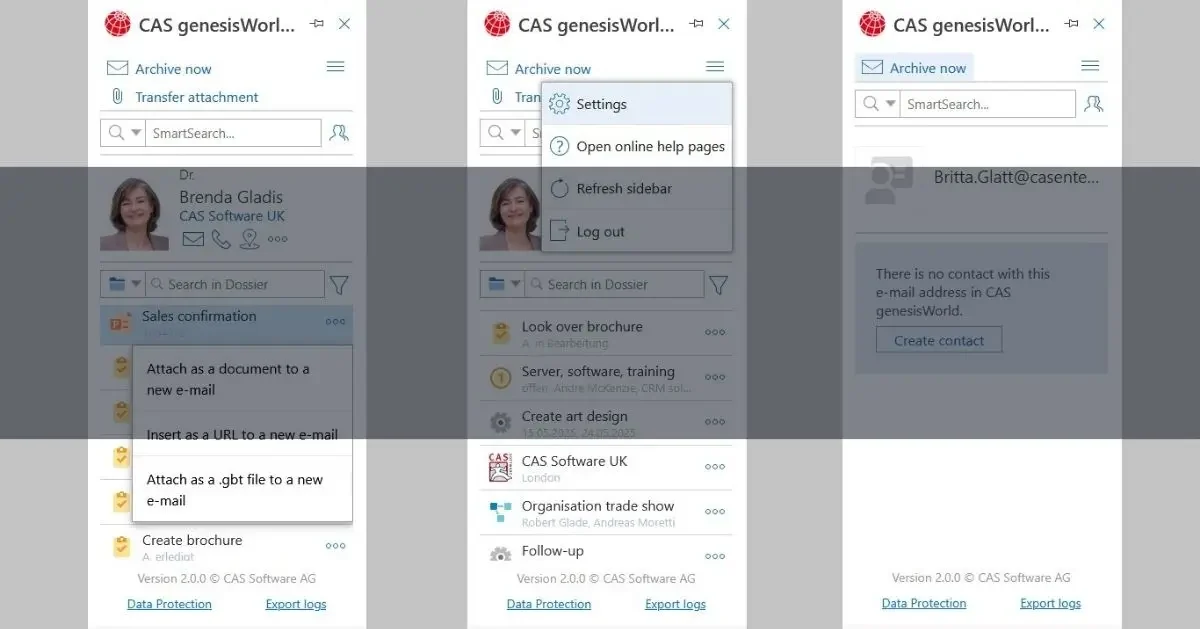
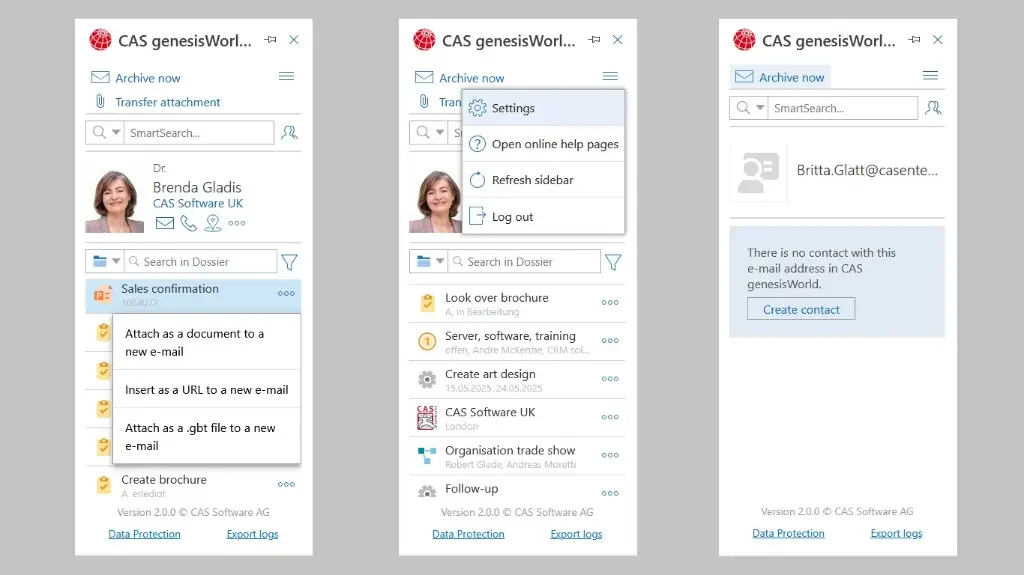
The key advantage is that users do not have to choose between Outlook and the CRM. The two work together. Say a customer sends an email asking for a quote. Instead of the message staying in one employee's inbox, it can be archived straight into CAS genesisWorld. Attachments can also be saved separately as documents.
What's more, when the message comes from an existing contact, the user can see that contact's details and file in the CRM right away.
In practice, the email stops being an isolated piece of information. It becomes part of the customer's history. And if the email address is unknown, a new contact can be created in the CRM directly from Outlook.
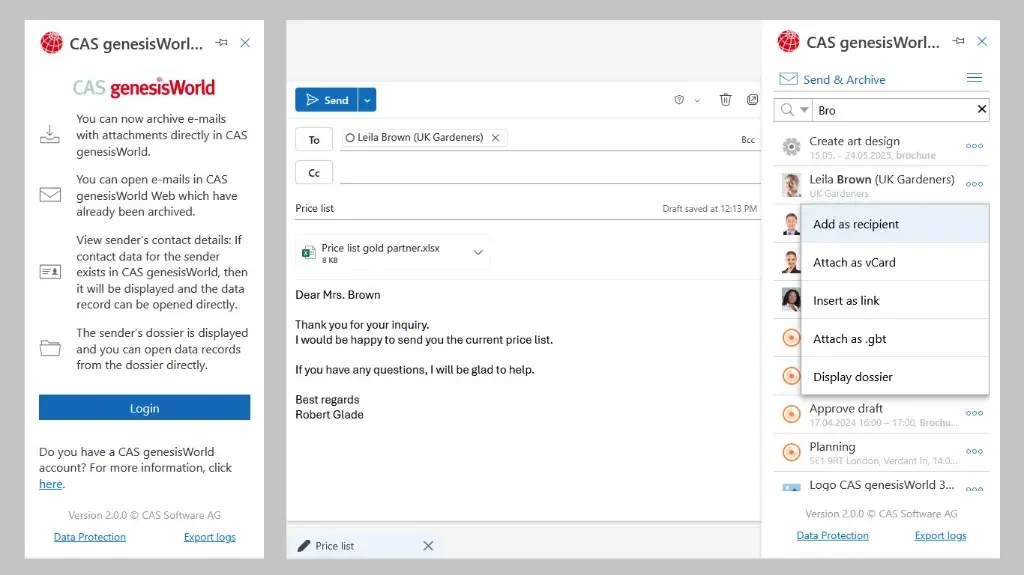
The integration also works the other way around. With the Send & Archive function, an email can be archived in CAS CRM at the moment it is sent. Relevant correspondence ends up in the customer's history without the user having to take an extra step every time.
This may seem like a small detail, but in an organization that sends dozens or hundreds of customer emails every day, the difference in time and operational discipline can be significant. Users can also see which emails have already been archived and open them directly from the CRM.
Another advantage of the integration is that users can pull CRM data straight into the email they are writing. Recipients can be taken from CAS genesisWorld, and other CRM records can be added to the email.
This way, the CRM is no longer seen as one more application where information has to be typed in by hand, but as an extension of the way people already work. That is, in fact, one of the core principles of a good CRM implementation: the system has to fit into people's workflow, not create a parallel one they have to follow.
Calendar sync
The CAS CRM and Outlook integration is not limited to email. Appointments in the Outlook calendar can be transferred directly to CAS genesisWorld, and those meetings can then be opened from the CRM. Customer details, correspondence and meetings come together in a single context. And for organizations where employees use mobile devices, emails sent or received in Outlook for mobile can also be archived in the CRM.
This is a useful feature, because meeting invitations from outside the company (customers, prospects, partners) usually arrive by email and never get centralized or shared with the rest of the team.
Why does all this matter for your business?
The real benefit is not that "Outlook has a CRM add-in". The benefit is continuity of information. A CRM system loses a large part of its value when customer information is scattered across applications, inboxes and devices.
When email, calendar and CRM talk to each other:
- the history of the customer relationship is easier to follow;
- information depends much less on a single person's inbox;
- employees spend less time looking for messages and documents;
- correspondence can be opened from the customer's file;
- information is available to other colleagues working with the same customer;
- using the CRM feels more natural, because it happens inside the applications people already use.
If email is where a good part of the customer relationship begins, it makes sense for the relevant information in email to reach the CRM as well. With CAS CRM and Outlook, users no longer have to choose between the two, and correspondence ends up where the whole company can put it to use.
We are always happy to give you a demo of this integration or a detailed presentation of the CAS genesisWorld CRM system.